Category: WEARC Blog

  • WEARC & ARC² Gear Up For Field Day

    WEARC & ARC² Gear Up For Field Day

    Club Members from both WEARC and ARC² met at the American Red Cross building in Fairfield, NJ (Essex County) on Saturday June 8 for a final prep for this years ARRL Field Day. 

    Field Day is June 22, 2024 starting at 2pm through June 23, 2024 2pm – Come out and join us and learn more about Amateur Radio For info contact CJ Melhorn (KD2TZX) by e-mail.

  • Field Day – NE2S remote input

    Field Day – NE2S remote input

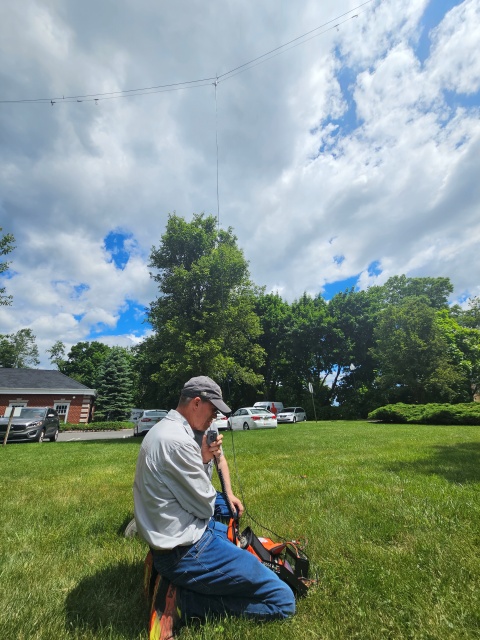
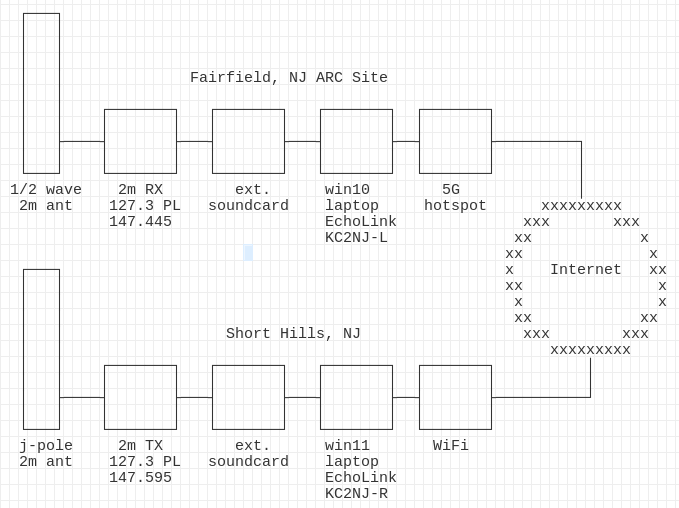
    While on-site at WEARC Field Day 2024, please take advantage of the temporary remote input for the NE2S repeater in Livingston, NJ which will be available throughout Field Day weekend.  Using the remote input frequency will allow your signal to be full quieting into the repeater while using a HT on low power from our Field Day site.  We will use this repeater to create awareness of our Field Day location and offer talk-in directions and site availability details (hours of operation) upon request.

    Note: there is a small timing delay as a result of VoIP buffers for EchoLink and the end-to-end IP network path; pausing 1/2 second to begin your transmission after hearing the repeater courtesy tone is sufficient to compensate for this delay.

    Standard Repeater Output: 146.595; Standard Repeater Input: 147.595 (+1.00 MHz), 127.3 Hz PL

    Remote Input: 147.445 (+0.85 MHz), 127.3 Hz PL.  Please set your HT to its lowest TX power setting.

  • WEARC and ARC² Scout out Field Day Location

    WEARC and ARC² Scout out Field Day Location

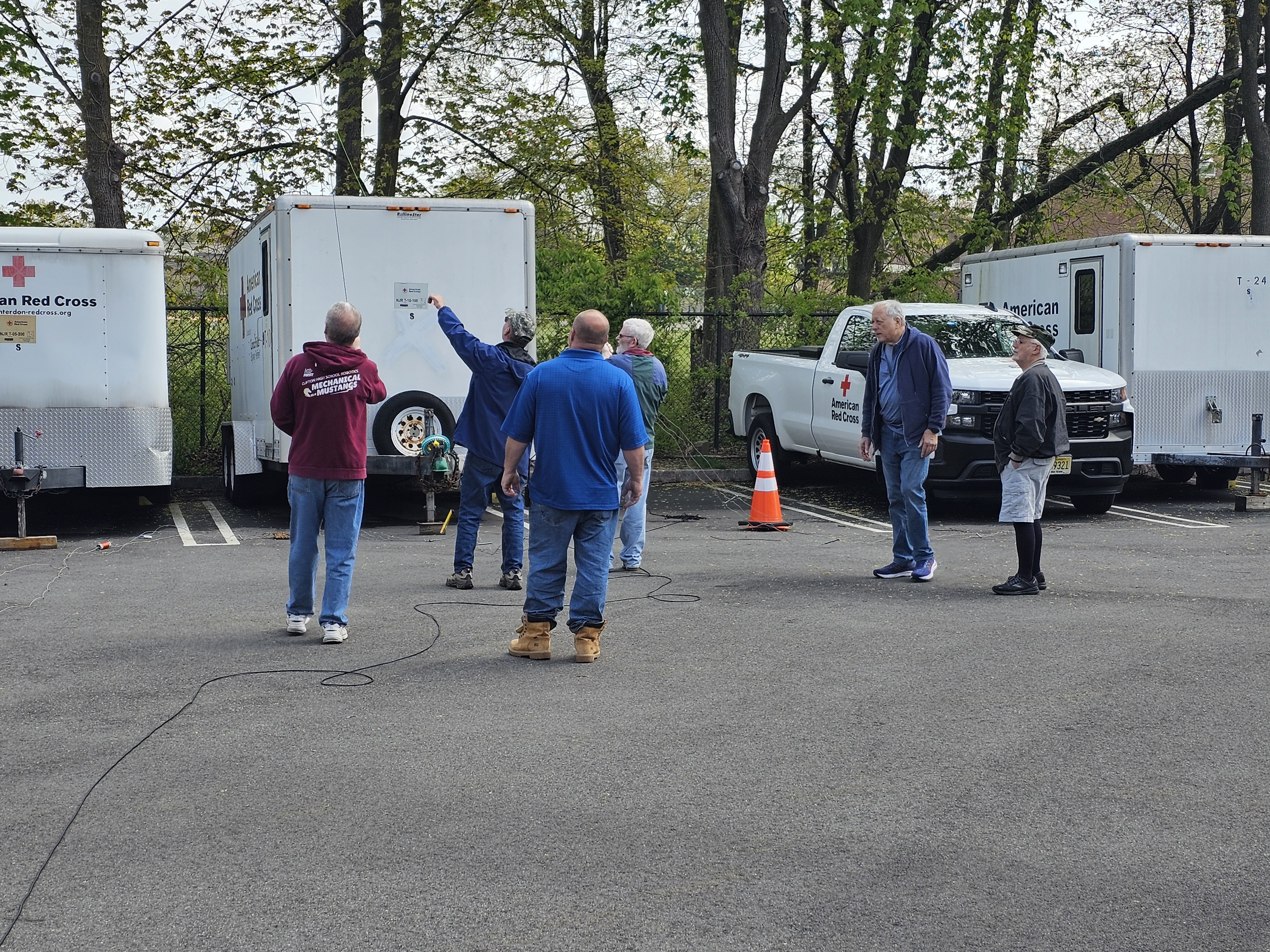
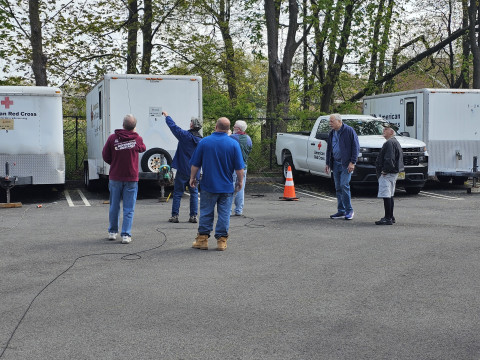
     Over the last month the West Essex Amateur Radio Club and the ARC ² Clubs have been on site at the American Red Cross doing site surveys on where they will set up stations, antennas, and the ever friendly Guests on the Air (GOTA) for field day 2024. 

    The WEARC and ARC² will be operating from the American Red Cross Building for 2024 ARRL Field Day in Fairfield NJ – 209 Fairfield Rd. 

    For more information about field day you click here or contact CJ Melhorn, KD2TZX at kd2tzx{at}arrl.org

    Many ideas and configurations being discussed so the plan is ready to be enacted on Field Day 2024.

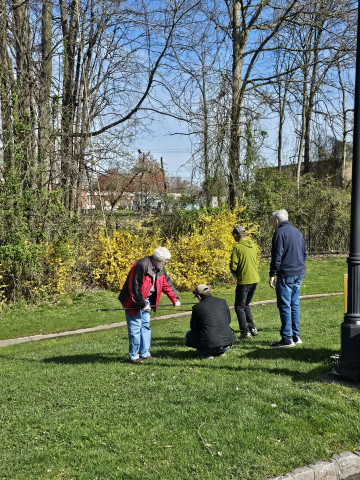
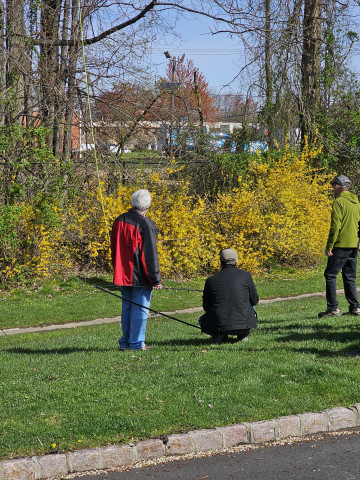
    Members from WEARC and ARC² working on spotting a location for one of the field day antenna’s.

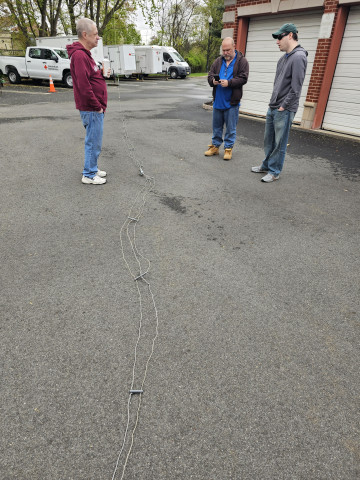
    Getting the A/D stretched out after being in storage to locate best positioning

    Members spotting a location for an A/D antenna. Working to see if the reach is feasible.

  • ARRL Annual Field Day – June 22 to June 23, 2024

    ARRL Annual Field Day – June 22 to June 23, 2024

    West Essex Amateur Radio Club – Arc² ARRL Field Day Event
    Saturday June 22, 2024 – Sunday June 23, 2024
    209 Fairfield Rd, Fairfield, NJ (Essex County)

    Come out and visit the West Essex Amateur Radio Club along with Arc² at the American Red Cross building in Fairfield, NJ (Essex County) when our amateur radio operators participate in the most popular on-the-air even held annually in the U.S and Canada. Field Day is a time where many aspects of amateur radio come together to highlight our many roles. Field Day has a variety of purposes, many clubs use it as a social event while contesting, and others will practice their emergency communications.

    WEARC and ARC² will be welcoming amateur radio operators, the general public, distinguished guest and more throughout the day. We will be running a Guests-on-the-Air station so those who are not licensed operators may sit with one of our members and operator a radio and make contacts around the world. We look forward to this event each year and now in collaboration with ARC² we have a site that provides our members and visitors safety in the event of any foul weather that may come our way.

    If any Boy Scout troops are interested we will have an on-site merit badge counselor during the event. Please co-ordinate with CJ Melhorn, contact info below.

    If you require more information feel free to contact CJ Melhorn (KD2TZX) by e-mail at kd2tzx{at}arrl.net. 

  • Moving the Red Cross Radio Room

    Moving the Red Cross Radio Room

    During a recent emergency drill, Bill, NB1LL, realized the existing Red Cross Ham Operation Radio Room would not be functional during a crisis; it was too small to accommodate the personnel and equipment needed.  As Regional Lead of the American Red Cross New Jersey Region, Ham Operations, he set out to find a more suitable space in the Fairfield, NJ Red Cross Building.  

    Bill found a new office; then he just needed a few hands to help move furniture, radios and wire.  Ed K2BED, Henry KC2WRQ, Jerry WB2GZL and Richard KD2IIX, members from ARC Squared (ARC) an Amateur Radio Club for the volunteers and the staff of the American Red Cross and the West Essex Amateur Radio Club (WEARC) were happy to help.

    Tuesday, March 19th, the team met at the Red Cross Building at 7pm to move the Radio Room.

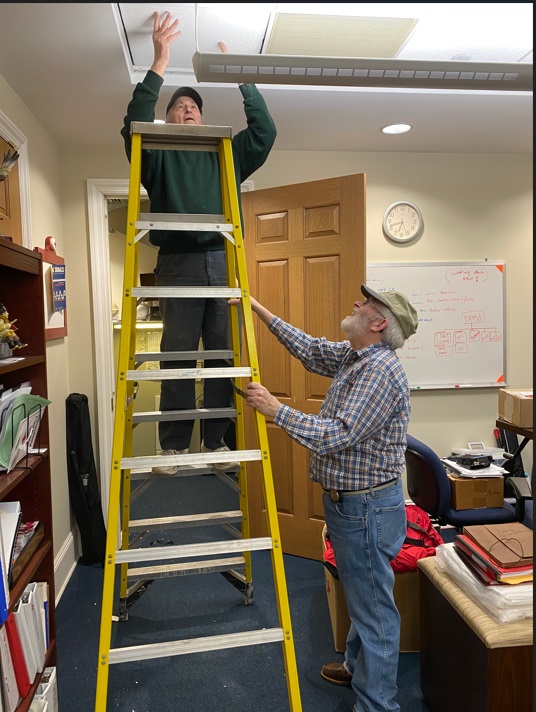
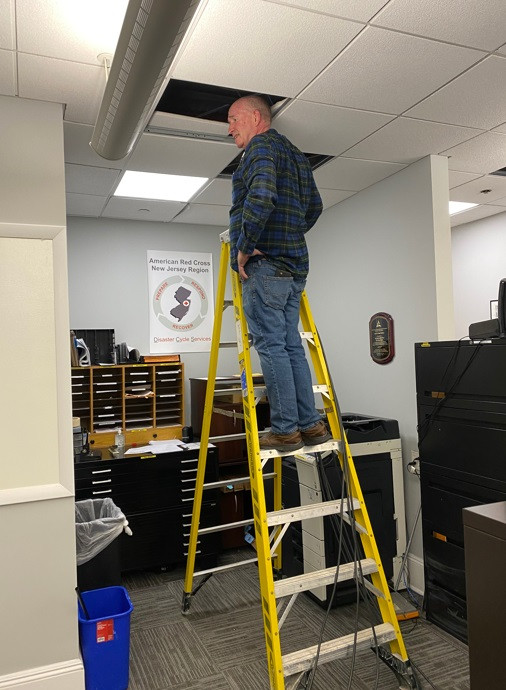
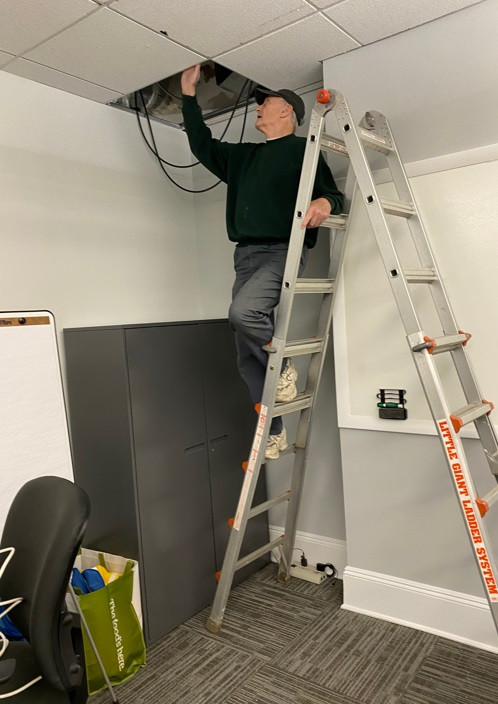
    Bill had previously located the cable antennas in the ceiling so there’d be no delay in moving them.

    Photo Credit: Jerry Scola

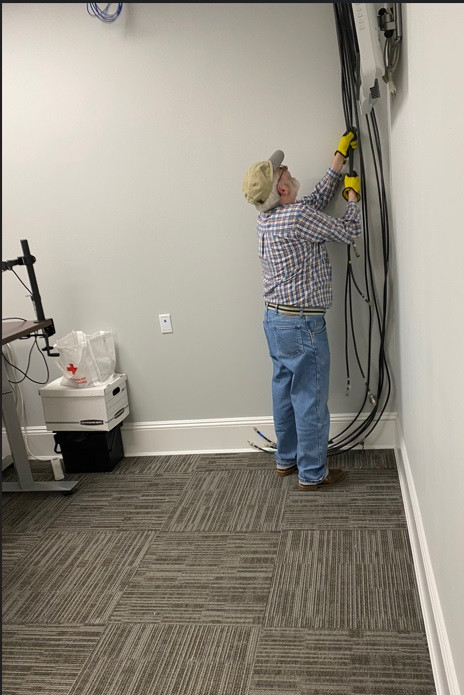
    The cables for the new room.

    Photo Credit: Jerry Scola

     The move took 2 hours and was accomplished in time for Bill to have the new Radio Room available for WinLink Training!

    A ‘shout out’ to Ed K2BED, Henry KC2WRQ, Jerry WB2GZL and Richard KD2IIX for all their efforts! 

    Photo Credit: Jerry Scola

  • Repeater Operational Tips

    Repeater Operational Tips

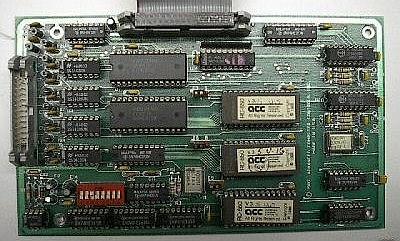
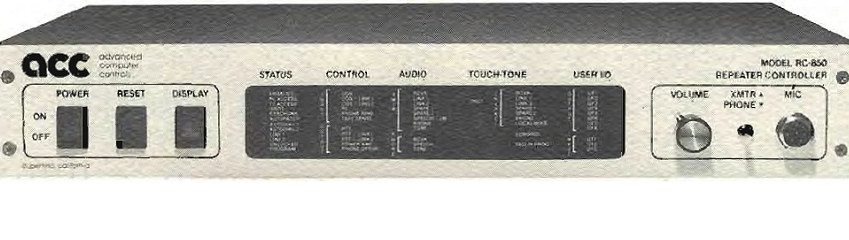
    The question of how a repeater controller works has come up several times in the past few months. Below are some relevant facts about the operation of a familiar repeater controller. The post that follows will focus on high impact items for repeater users, including specific PL and timing details about our local VHF FM repeater, NE2S, on 146.595 MHz.

    PL (Private Line) / CTCSS
    Continuous sub-audible tone signaling, required to access the repeater. Input PLs help keep unwanted noise and unexpected users from activating the repeater. While an input PL may be passed through the repeater, there is no PL tone generated on the output of NE2S by the repeater, so please keep your receive squelch set to carrier (do not filter on PL/CTCSS) for this repeater system. Setting your radio for carrier squelch will ensure you will be able to hear the Courtesy Tone and repeater ID.

    Courtesy Tone
    Following each user’s transmission, the repeater transmitter remains on for a programmable period with a Courtesy Tone provided to indicate that the other use may transmit. On NE2S, the value of this timer is set to 1.5 seconds. The delay to the tone allows other stations to break into the conversation. The period of 1.5 seconds starts when the user unkeys their microphone, and ends once the repeater Courtesy Tone sounds.

    Hang Time
    This is the period where the repeater transmitter remains on the air, after the user input signal goes away and the courtesy tone has sounded. Sometimes Hang Time is referred to as a repeater’s tail. NE2S is configured for 3 seconds of Hang Time after the Courtesy Tone.

    Timeout Timer
    The repeater’s timeout timer is set at 3 minutes on NE2S and its function is to limit transmission duration in case of a continuous carrier at the repeater’s receiver. The timer resets automatically when the input signal at the receiver has ceased for 1.5 seconds. Normally, a Courtesy Tone is generated at that time, however if pending repeater ID is waiting, the repeater ID message will be generated in place of the Courtesy Tone and will be followed by the tone. In either case, the Timeout Timer resets at the beginning of the courtesy tone or pending repeater ID. You do not need to wait for the repeater tail (Hang Time) to drop (end). In order to reset the Timeout Timer, simply wait to hear the Courtesy Tone and begin the next transmission.

    If users do not wait for the Courtesy Tone and the total transmission time between timer resets exceeds the NE2S timeout timer value of 3 minutes, the controller will announce “Repeater Time Out”, and the transmitter will be shut off. When the signal at the input stops for at least 1.5 seconds, the transmitter will be re-enabled and will announce “Repeater Ready” and normal operation will resume.

    Function Value
    Input PL 100.0 Hz
    Output PL None
    Courtesy Tone 1.5 seconds
    Hang Time 3 seconds
    Timeout Timer 3 Minutes
    Output Frequency 146.595 MHz
    Input Frequency 147.595 MHz

    73 & hope to hear you on the repeater soon!

  • Meshtastic Waterproof Device – BEST DESIGN

    Meshtastic Waterproof Device – BEST DESIGN

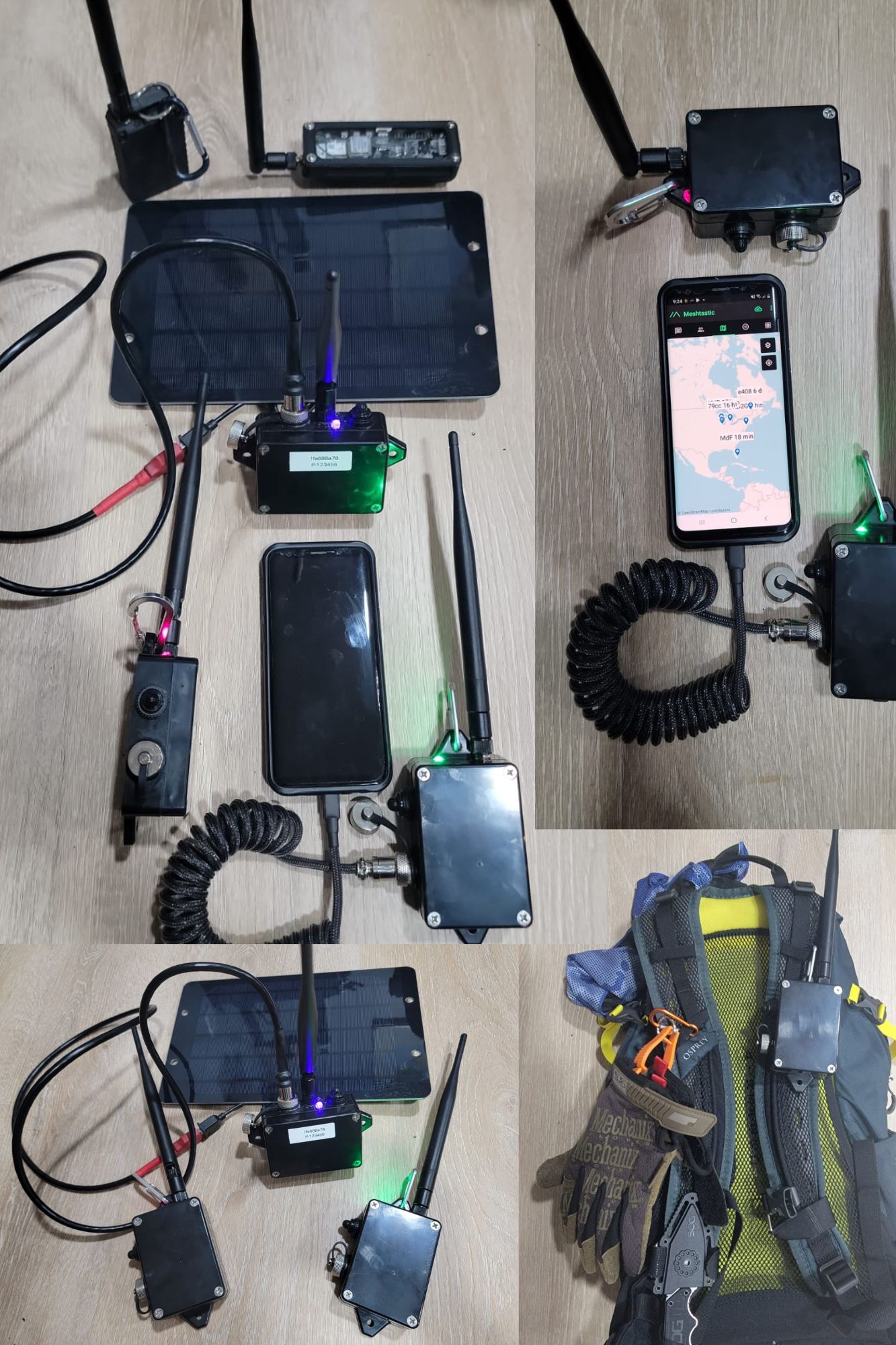
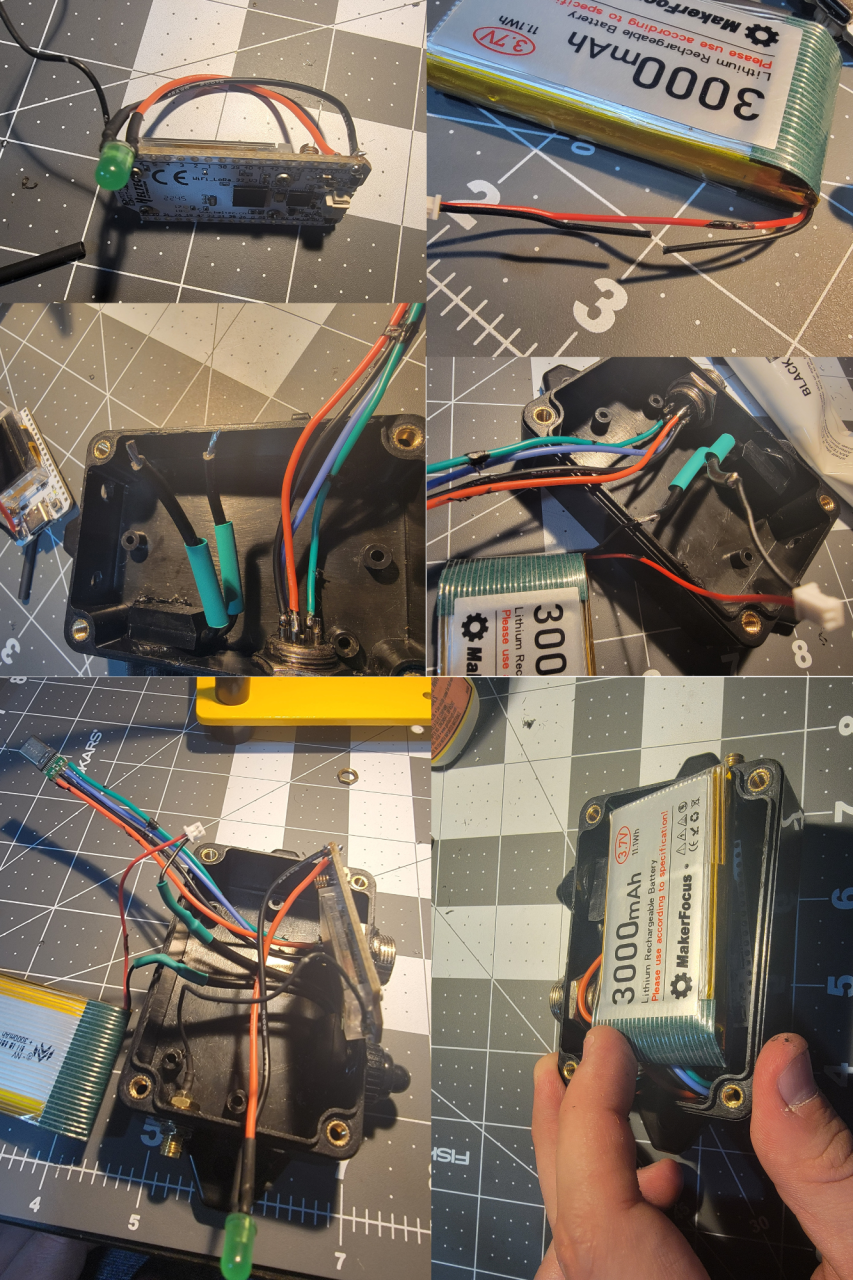
    Let’s build my version of the LoRa Meshtastic ESP32 device. What do we want to achieve: 

    1. As waterproof as it can be.

    2. No 3D Printed needed.

    3. Battery that can run for a couple days.

    4. Easy USB waterproof connector that can be used for charging.  

    5. ON/OFF switch WITH LED ON/OFF indicator 

    6. High gain antenna.

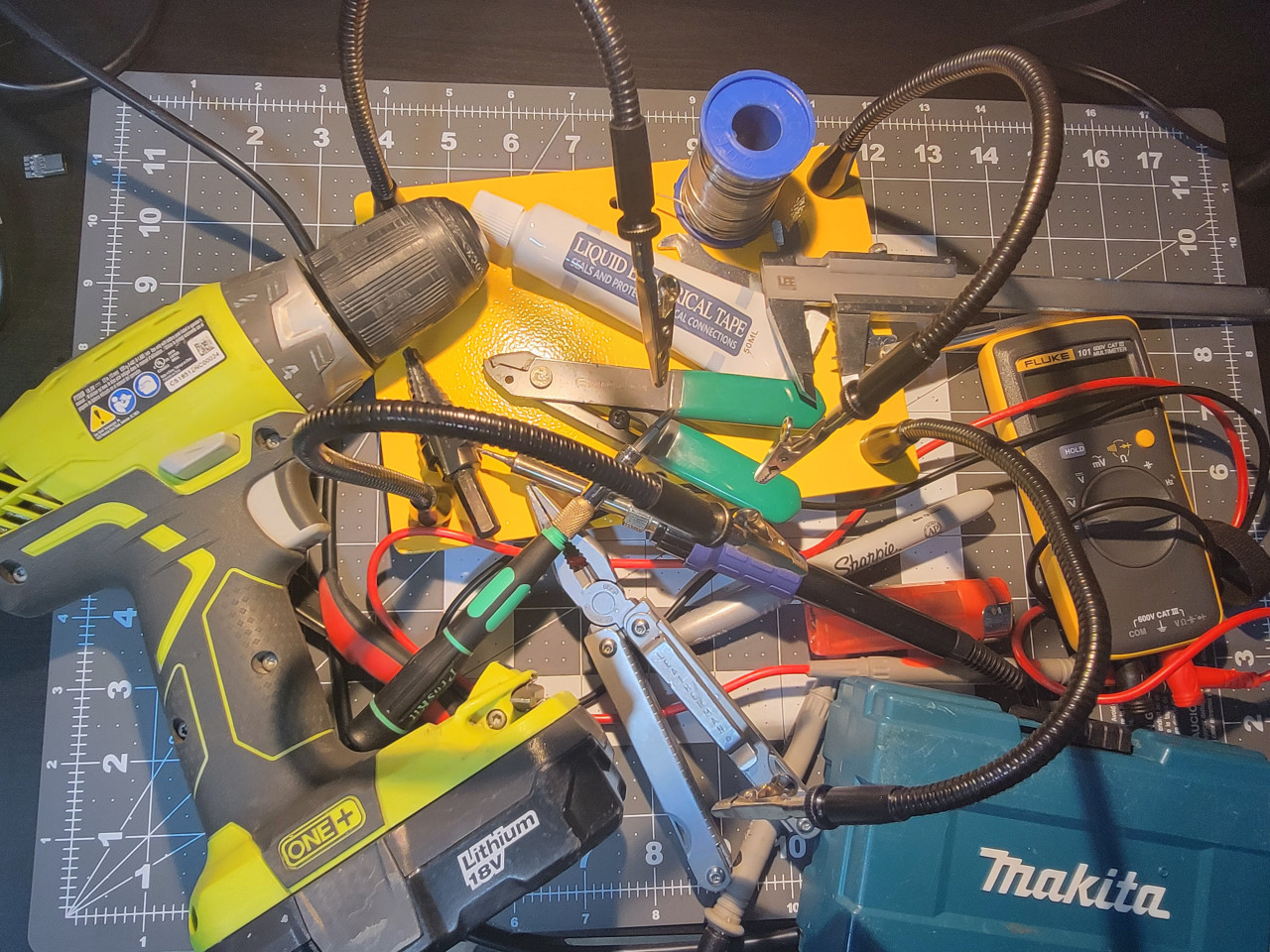
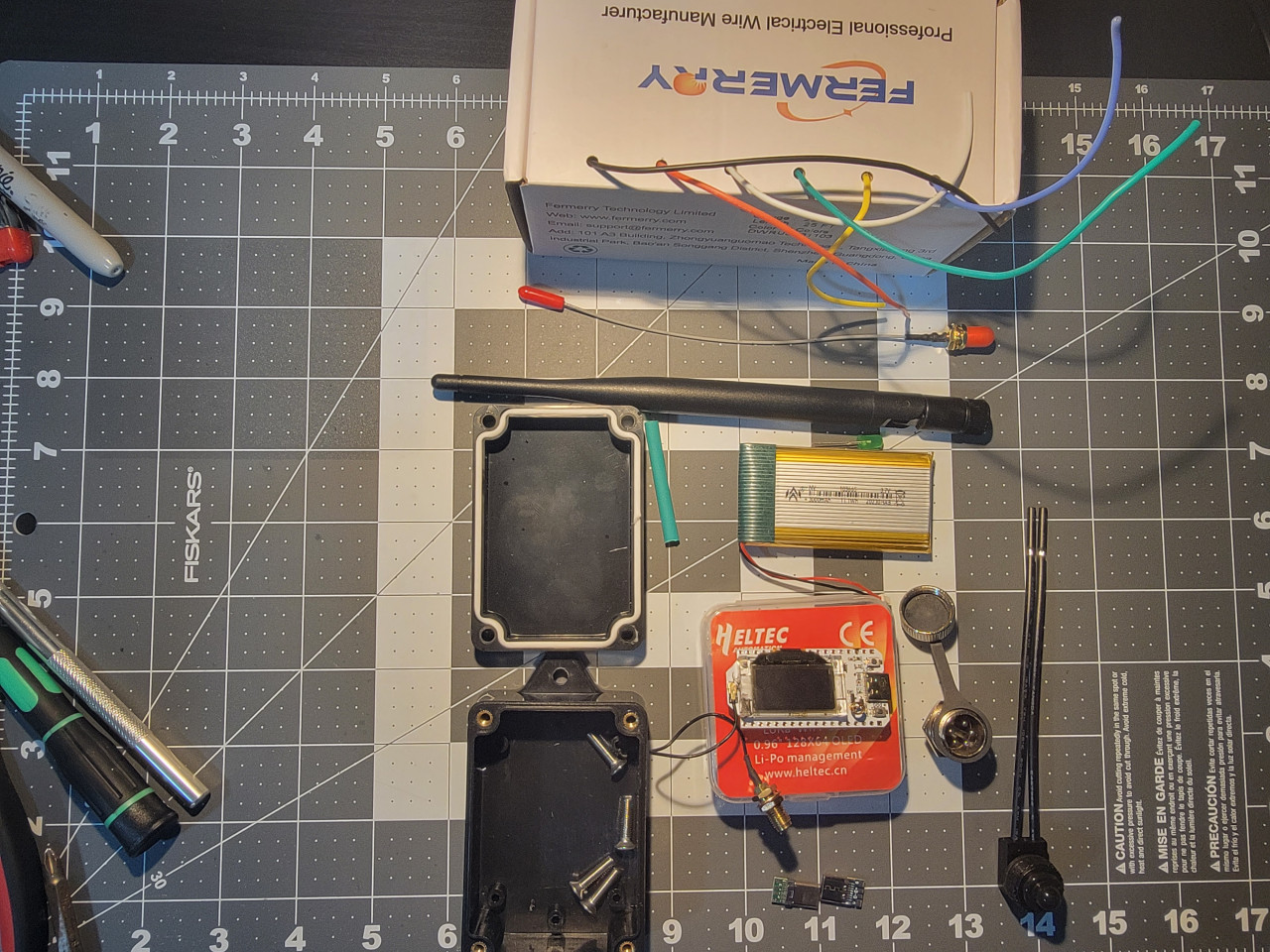
    Tools needed below (just look at the picture below):

    Parts that you will need: 

    ALL AVAILABLE ON AMAZON! 

    915MHz ESP32 LoRa 0.96 OLED Development Board V3 SX1262 Type-C

    915MHz LoRa Antenna Omni 5dbi Gain SMA Male for ESP32 LoRa OLED Board

    MakerFocus 4pcs 3.7V 3000mAh Lithium Rechargeable Battery 1S 1C Lipo Battery with Protection Board

    mxuteuk 5pcs 12V RV Waterproof Push Button Switch Black ON/Off SPST Switch with 4.52inch Lines for RV/Motorcycle/Car MXU-KP-107

    10PCS USB 3.1 Type C Connector 24 Pins Male Female Plug Socket Receptacle Adapter to Solder Wire & Cable 24P PCB Board Support Module

    VizGiz 10 Pack USB Plug Replacement 4 PIN Type A Female Male Socket Connector Solder Terminal Repair

    DKARDU 6PCS GX16 5 Pins Aviation Connector Male/Female Panel Aviation Wire Connector Plug Socket for Power Connection with 6PCS Waterproof Cover

    Zulkit Junction Box ABS Plastic Dustproof Waterproof IP65 Universal Electrical Boxes Project Enclosure with Fixed Ear Black 3.27 x 2.28 x 1.30 Inch

    DiCUNO 450pcs (5 Colors x 90pcs) 5mm LED Light Emitting Diode Round Assorted Color 

    22 AWG Stranded Wire Silicone Tinned Copper Wire Spool 25ft Each 6 Colors Flexible 22 Gauge Hook up Electrical Wire Kit from Fermerry

    STEP 1 – Case

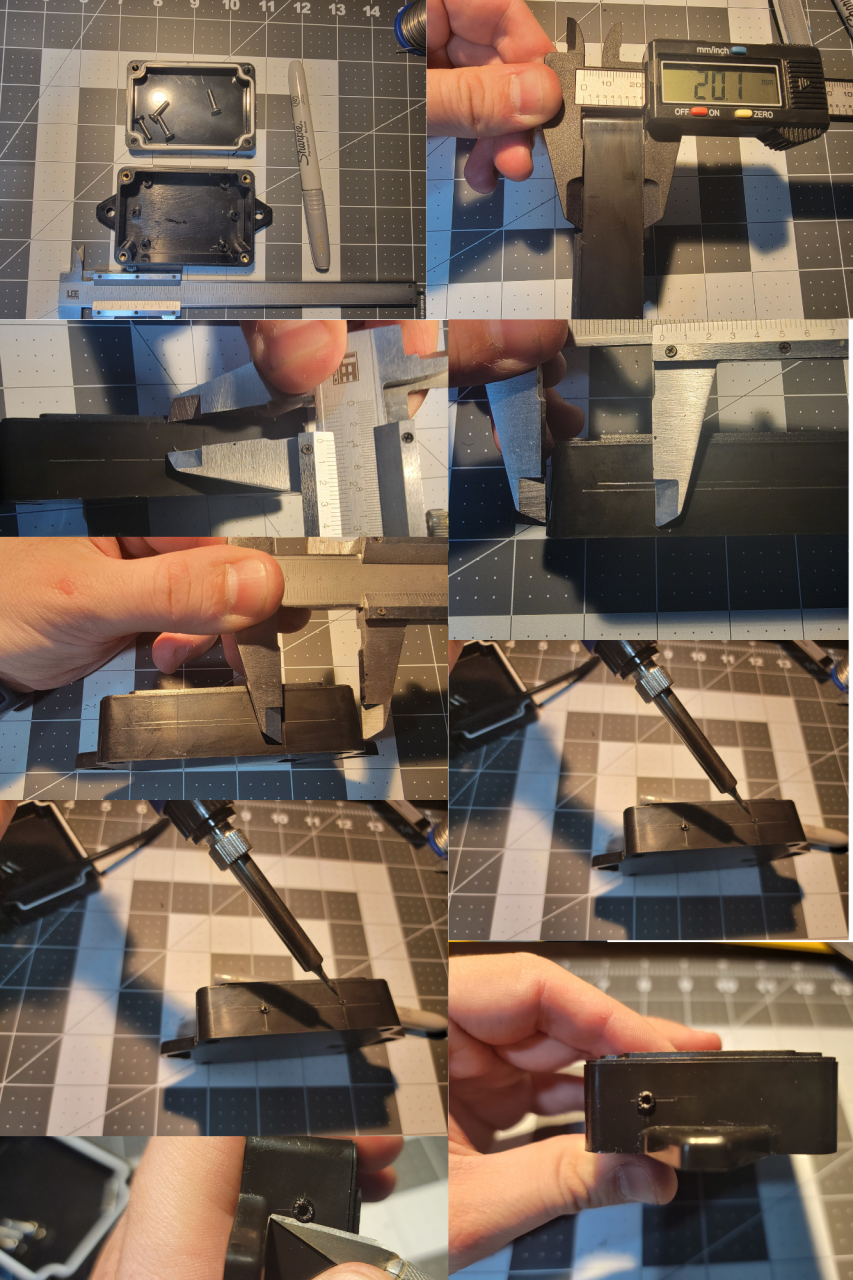
    Let’s drill the box:

    Mark one of the sides, from lower chanel of the top down, it’s 20mm tall. Do 2 lines, one at 10mm another 7.5mm from the top. The 10mm line is the guide for the switch, the 7.5mm from the top one is for the GX16 5 pin connector. Mark 1 inch from each side crossing the 2 previous lines. 

    With a soldering iron, do some guiding holes. The one on the bottom line 10mm is for the switch, the other one is for the GX16 connector. At the top, mark a place for the antenna SMA connector. We can drill the LED hole in a few.

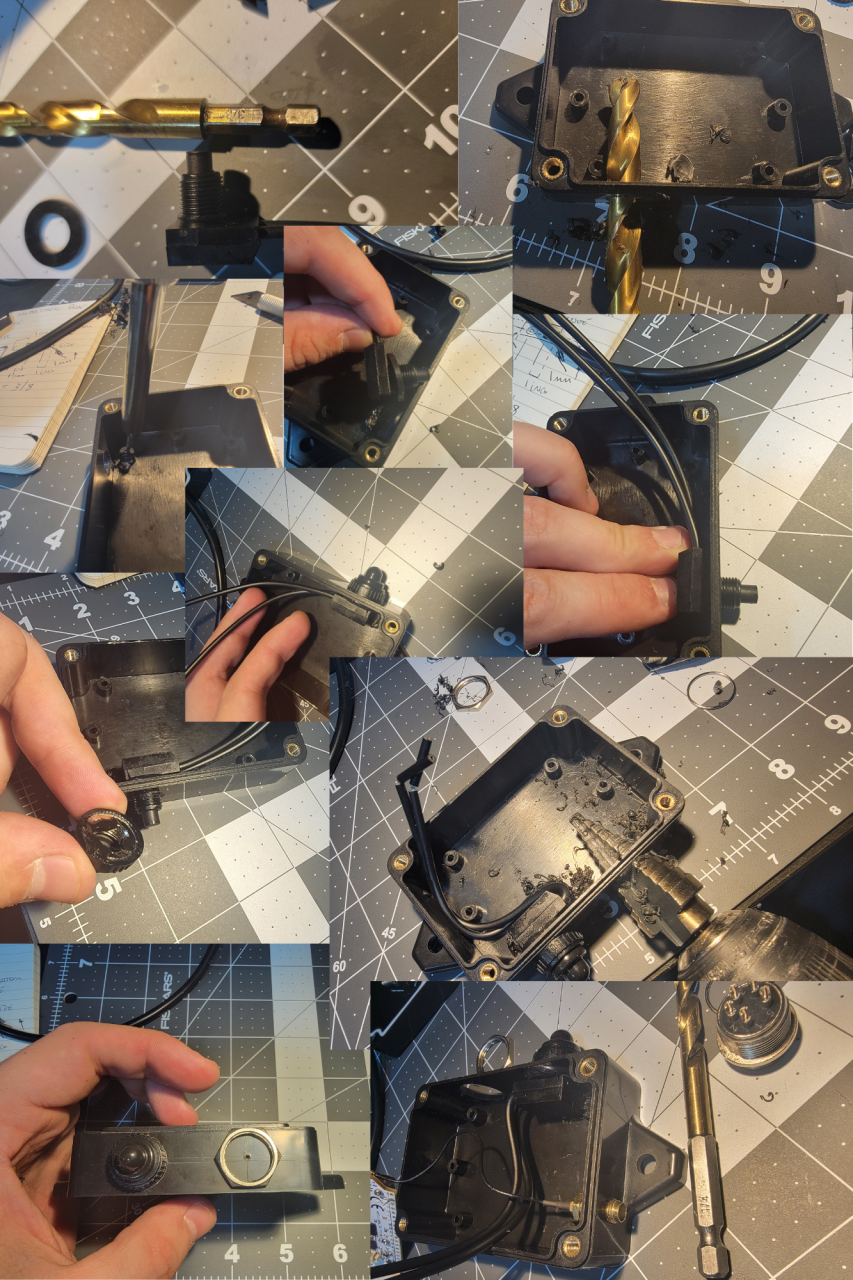
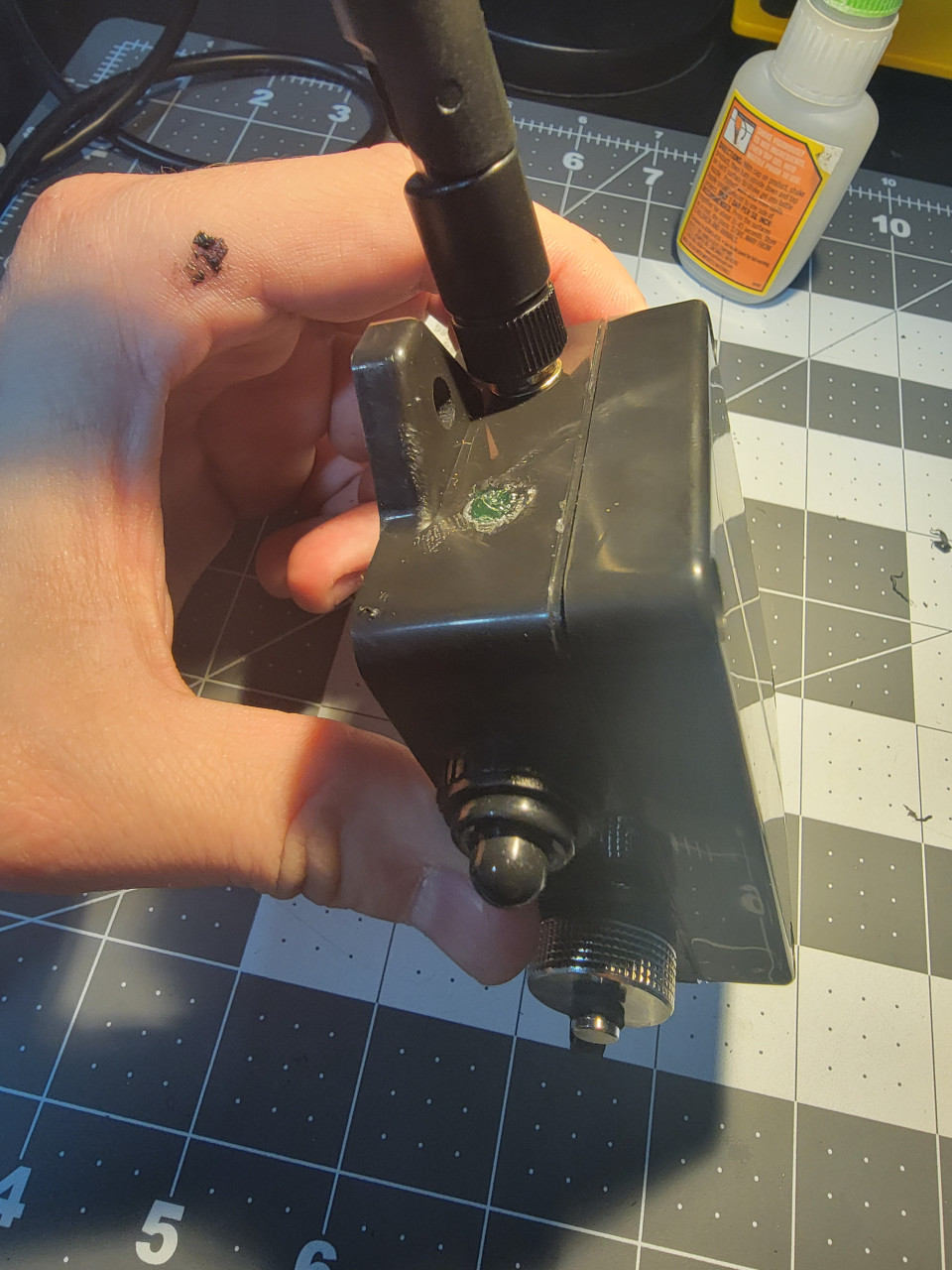
    Switch is 3/8”, use a step drill for the GX16, 5/8” is the hole size. I used some liquid electrical tape to help with the water proofing. Don’t forget the rubber washer inside of the switch. The SMA connector is a 1/4” and the LED is 3/16”, it’s one of the final holes, in the next section, add where you want. 

    I had to use the soldering iron to remove a post that was in the way of the On/OFF switch. 

    STEP 2 – Soldering connectors

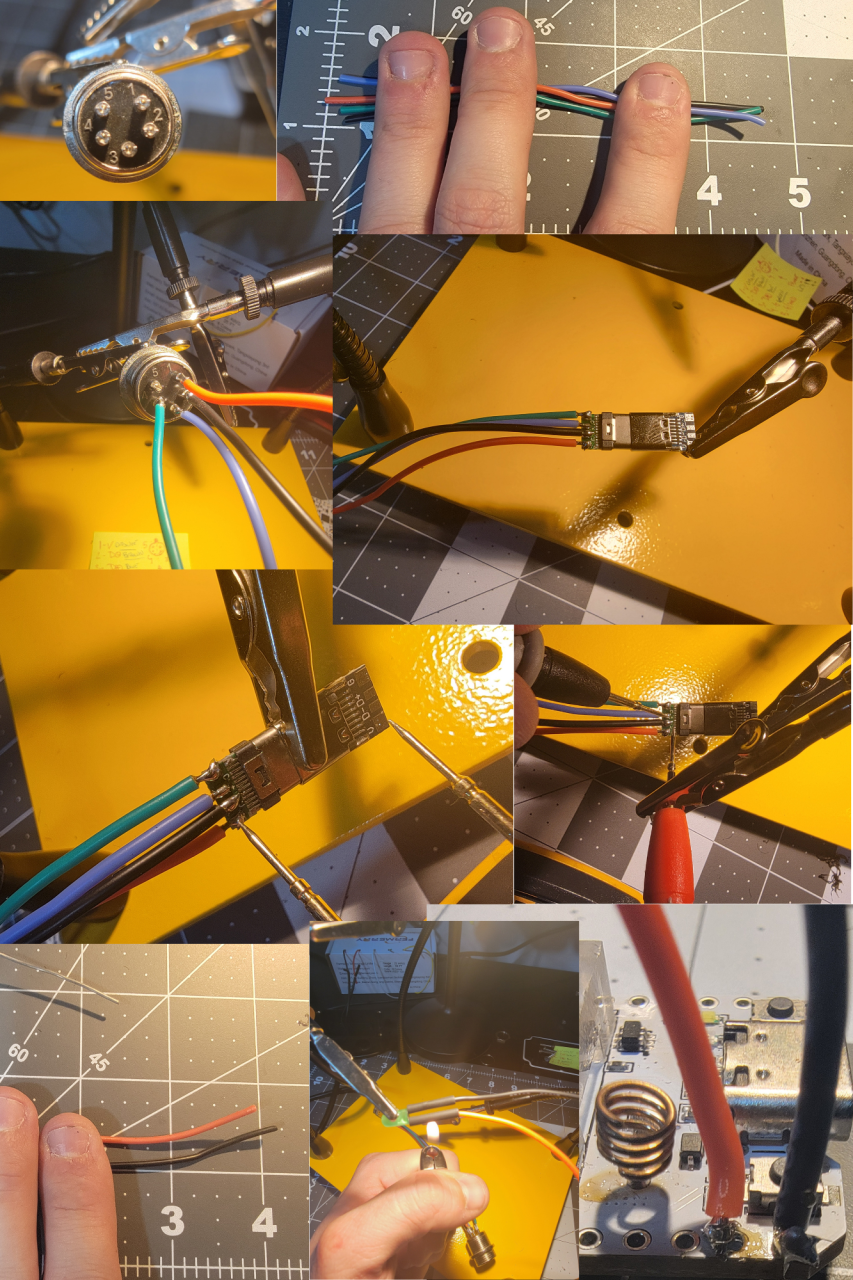
    The GX16 has some numbers. You can do whatever combination of color you want. 

    My setup is: 

    1 – RED (+V) 

    2 – B BRROW/BLACK (Data – )

    3 – Blue (Data +)

    4 – Green (Ground or V-)  

    5 – Nothing, no connection

    4 1/2” should be enough for the the connection between the USBC and the GX16, same for the LED. LED is connected to the 3V and ground pins of the ESP36. 

    For USB-C side I kept the male and female connected just to see better and also to test for wrong connections / soldering bridges between the 4 connectors. ALWAYS check. There should be NO continuity between the 4. 

    STEP 3 –  Final Device assembly 

    Cut one of the battery cables and connect to the switch. Drill the final LED hole 3/16” and use super glue to keep the LED in place. It’s a snug fit and the super glue also helps with the waterproofing.  The way it fits the best is with the ESP32 board below the battery. 

    IMPORTANT: Before connecting the battery, connect the antenna. NEVER turn on the device with the antenna disconnected. Make sure you use the switch off after testing and close everything. Device is done. 

    Almost done… The GX16 cap has a rubber, I added some super glue between the base of the connector and the rubber seal to keep the cap from falling when cap is open.  Screw the lid of the case and it’s done. 

    STEP 4 – USB Cable for Data and Charging

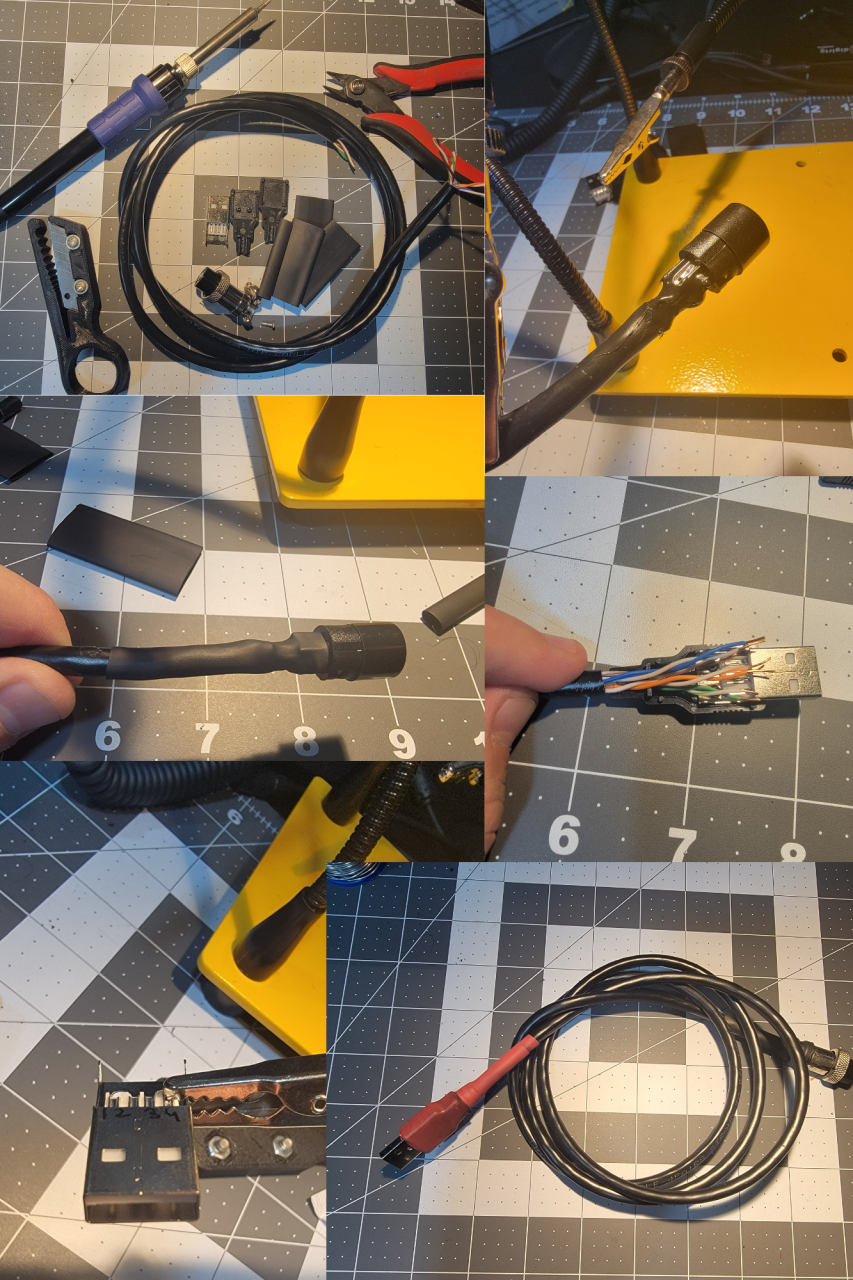
    Use whatever cable with 4 or more wires/conductors. I’m using a Cat 6 POE Ethernet Cable Waterproof Heavy high Speed LAN Network. It’s 4 pairs so I twisted the ends together of each pair. Numbers are in the male connector of the GX16 connector.

    Use plenty shrinking of tube. I used 2 layers begore closing the GC16 connector so the metal part grips the cable well. Also used liquid electrical tape to make sure things stay in place and don’t short in case cable is pulled.   

    1. 5V + (Orange + White with orange Stripe)

    2. Data – (Brown + White with brown stripe)

    3. Data + (Blue + Blue with white stripe)

    4. Ground AKA 5V- (Green + Green with white stripe)  

    TIP: Number the USB male connector: White plastic on top, left to right (1,2,3,4) 

    IMPORTANT:

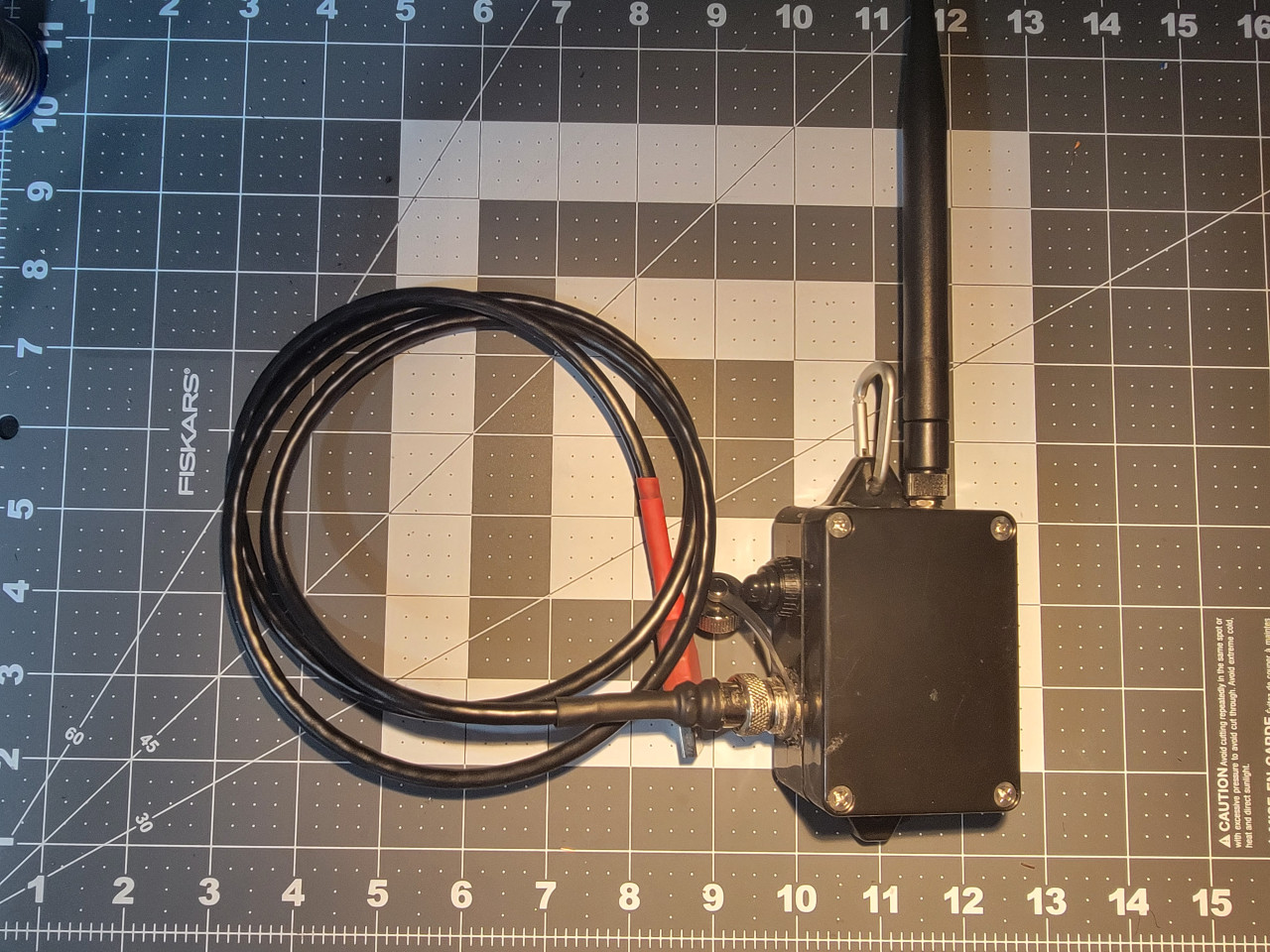
    DEVICE WILL ONLY CHARGE WHEN ON/OFF SWITCH IS ON so you can connect via USB to charge in a solar panel, power bank or anything else you want. Add a carabiner to hand in your backpack, tree etc. 

    DONE!!!! Congratulations!!! 

    Connect to your computer, go to https://flasher.meshtastic.org/ and flash the most recent stable version of Meshtastic online. 

    IMPORTANT: 

    DEVICE WILL ONLY CHARGE WHEN ON/OFF SWITCH IS ON so you can connect via USB to charge in a solar panel, power bank or anything else you want. Add a carabiner to hand in your backpack, tree etc. 

    You are responsible for things you do. Any error, please leave a comment and this remember this is an AMATEUR GUIDE so it’s your responsibility to make sure you don’t do anything stupid. This contains a LITHIUM BATTERY and will be connected to a COMPUTER so there are risks. I’m showing how I did and worked for me, result may be different for you. Don’t cut, drill or burn your fingers, house etc. BE CAREFUL! 

    73

    KD2WWU
  • If you like FT8, perhaps you will love JS8Call

    If you like FT8, perhaps you will love JS8Call

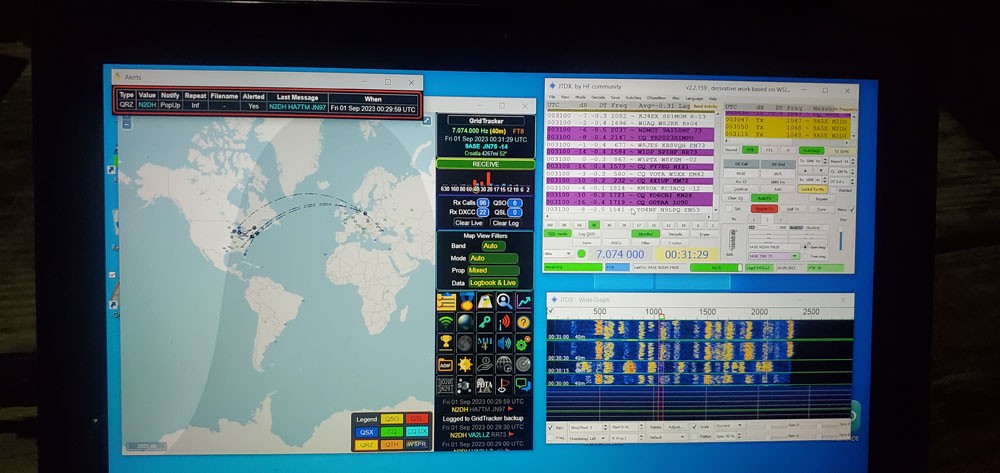
    I got into using FT8 this summer when camping. In 2023 now post COVID I had to adapt to having other campers close by which made it embarrassing to be talking to myself late at night and possibly annoying my fellow campers. I was lucky and able to download all the software and get it running on my laptop during a wet day and then spend the night exchanging contacts using a variant of WSJT-X, JTDX. I improved things by adding GridTracker and spent much of the summer evening working through FT8.  

    Laptop Screen when integrated with GridTracker

    Good as FT8 is, it didn’t satisfy my itch to communicate. It was good at getting to stations, finding out where you could be heard. But just a signal report and location didn’t feel sufficient. I stumbled on a fork of FT8 called JS8-Call. Developed by KN4CRD back at the end of 2019 it takes much of FT8 but adds texting. So, you can now have a QSO, although slowly. To quote KN4CDR “JS8Call is an experiment in combining the robustness of FT8 (a weak-signal mode by K1JT) with a messaging and network protocol layer for weak signal communication.” This code base is well supported (for Ham software) and has a last release of June 2020. There is an active community with sufficient activity to be able QSO most of the time.

    The user interface and operation of JS8Call is different than FT8. They look quite different, but I quickly got used to the new layout. Before writing this blog, I went on air to get some typical screen captures to share what I like about it and why I feel it important to share availability of this digital mode.

    The top things I really like are:

    • You can send and receive text messages and so exchange type of rig, antenna, power and such. You also have a chance to spend as long as you both like chatting.
    • There is an automated heartbeat mode where you can send automated messages and get replies including your signal strength.

    Main disappointment so far

    No automatic link into GridTracker, although might be possible with some work.

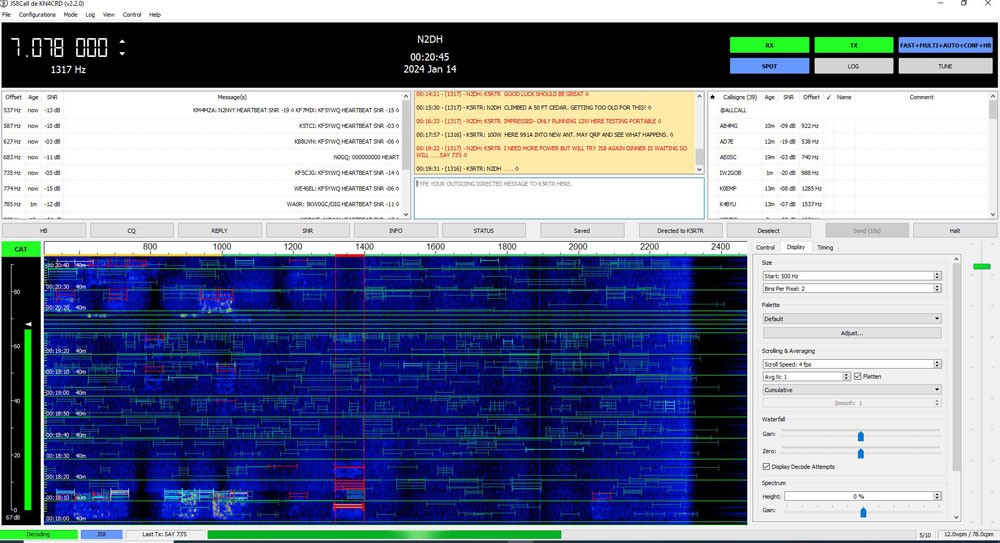
    JS8Call screen during a QSO

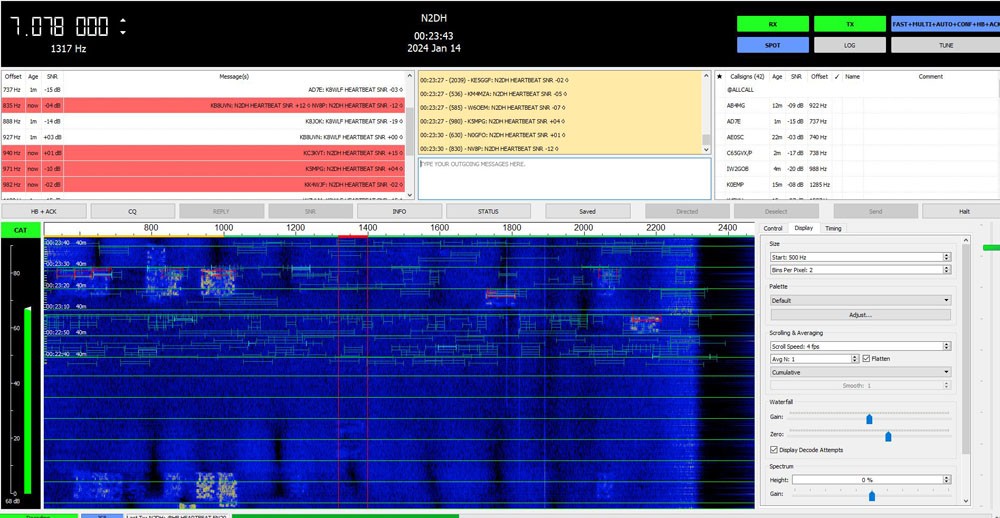
    The picture above shows the main screen, you will see that it has the waterfall of activity, above on the left is a list of activities, in the middle you can see the text messages for the current QSO and to the right a list of stations heard. The setup required all the same information as FT8, and I used my radio USB for audio and CAT commands for control. It has interfaces to a central logging program and can be configured for various unattended auto replies as well as full manual operation. It has become something I leave on in the shack and get satisfaction looking where I am being heard.

    JS8Call screen response to a heartbeat

    This second screen capture shows the responses to an automated heartbeat, you can see a bunch of people responded to my heartbeat with a signal strength. I like this feature as it gives me confidence everything is working.

    The system has interesting features a club might want to explore. You can define groups, say the WEARC Group, then messages can be filtered and sent to the group and the group could automatically reply with the heard signal strength.There are also special groups with some set operating periods all designed for interfacing to APRS Packet network. 

    Most of my operation was portable and so I was not as experimental as I am back here in the Shack. I want to look at the different modes available as some are faster (less weak signal capable) also try out the many shortcut messages and options which might make it simpler to cover the more standard messages and questions.

    If I had to sum up what JS8Call feels like in one short sentence, it would be modern day CW mode, since JS8Call has almost the same message speed and probably works in harsher signal conditions.

    I hope a few more club members try this and perhaps we can form our own group able to get automated signal measurements on the major bands between us all.

    Please comments welcome.

  • Blind Mic Test

    Blind Mic Test

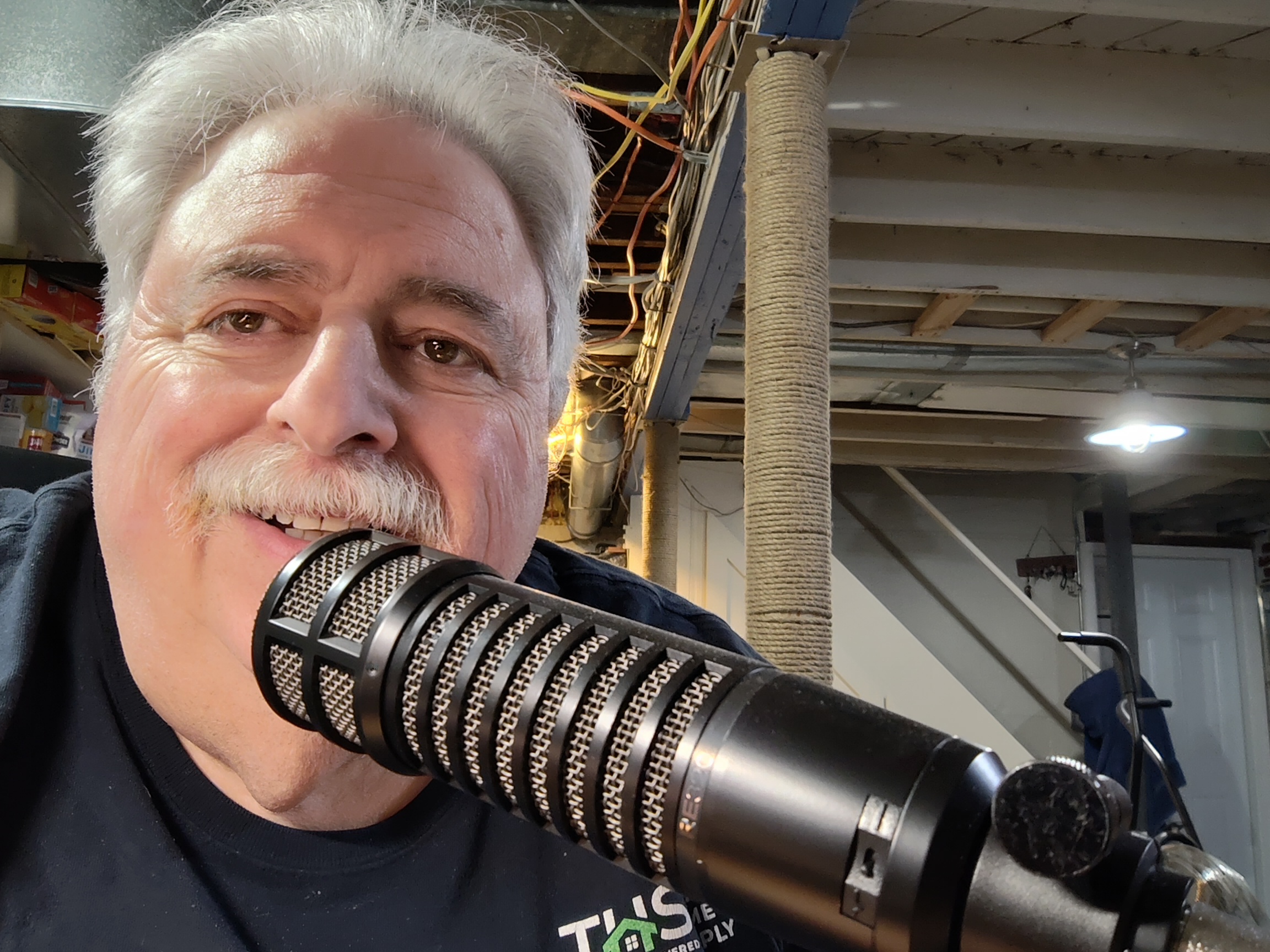
    I believe most hams have the same question as I did. Does it pay to spend a lot of money on a high quality microphone? This question bugged me for quite some time so I decided to do something about it. I came up with the idea of doing a blind mic test with several different mics on the air. I used the following mics in the test (with their approximate retail value): 

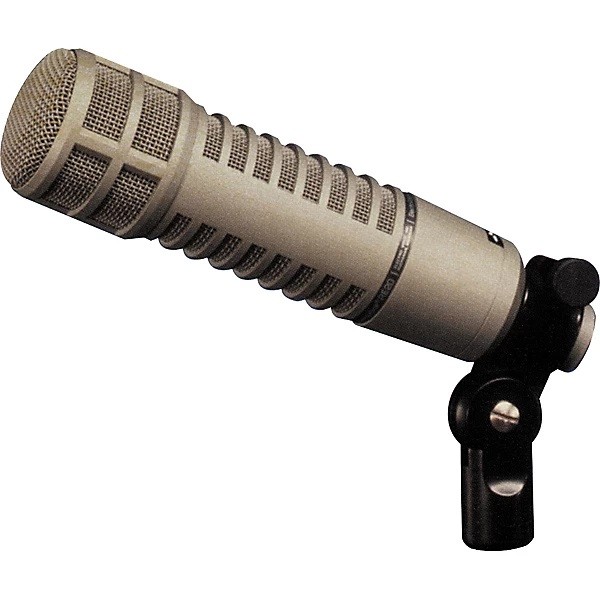
    1 – Electro Voice RE-320 Broadcast Mic ($300.00)

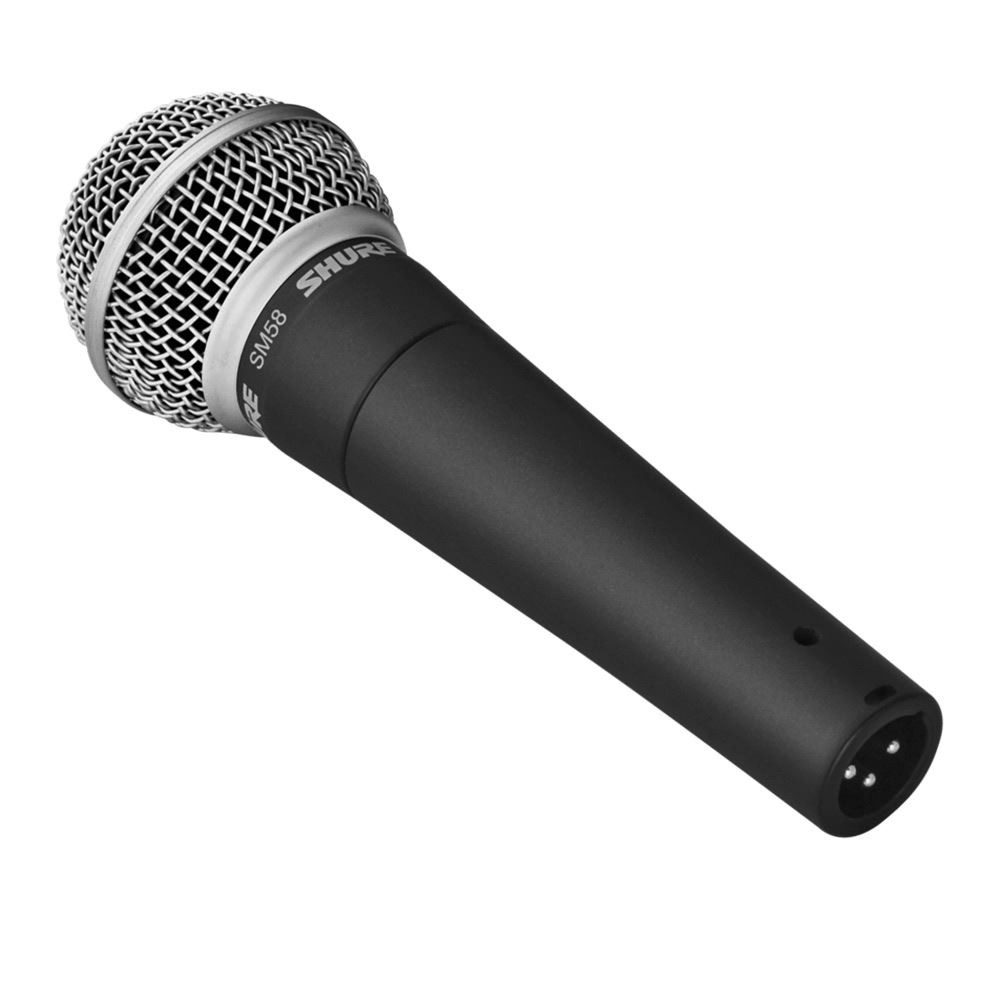
    2 – Shure SM58 Vocal Mic ($100.00)

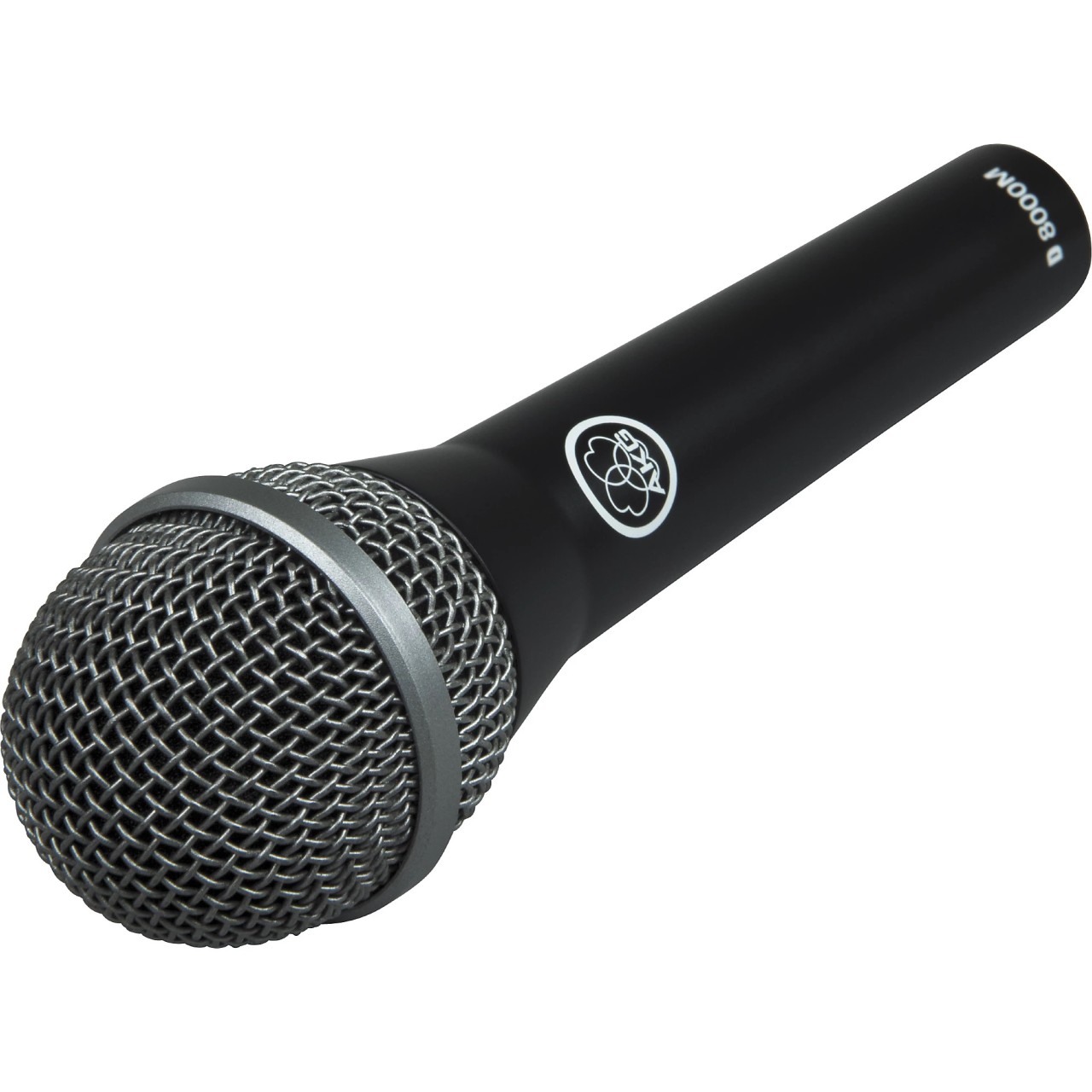
    3 – AKG D8000M Vocal Mic ($50.00)

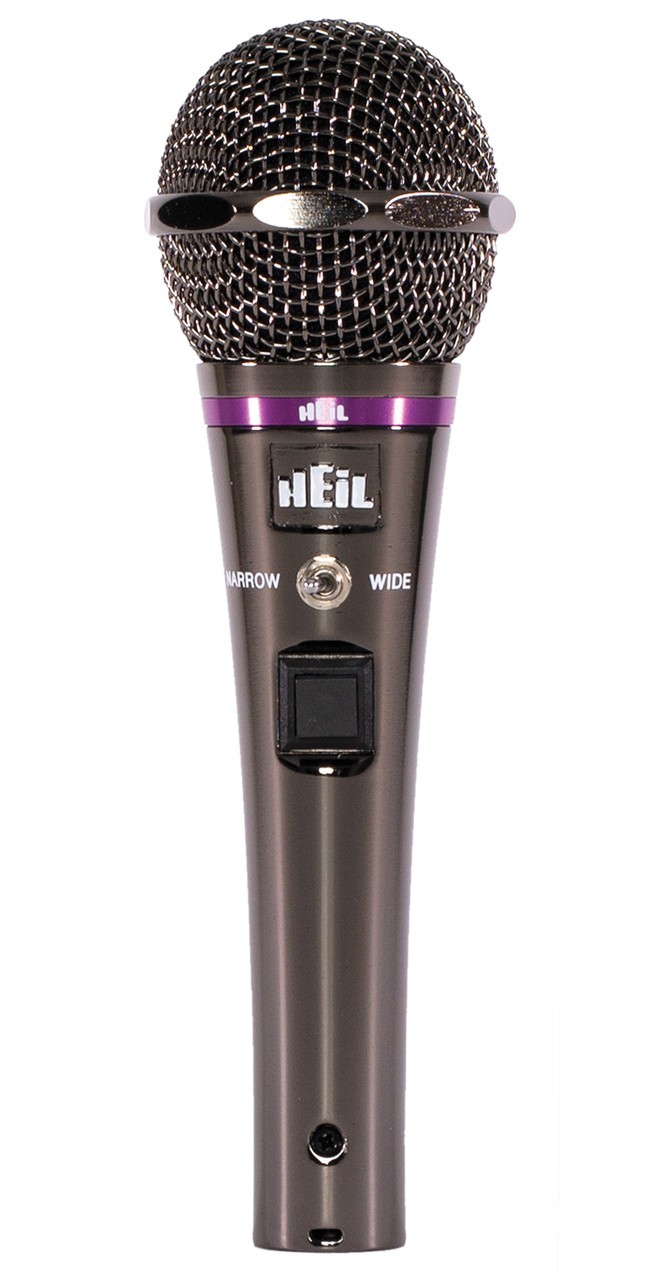
    4 – Heil HM10XD Communications Mic ($140.00)

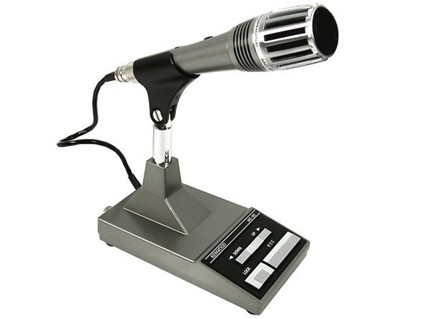
    5 – Kenwood MC60A Communications Mic ($160.00)

    Starting with the most expensive mic, the Electro Voice, this mic is designed for broadcast applications. It is a less expensive version of the RE-20, which is probably the most popular mic used in broadcast radio stations and podcasts. The RE-320 has the “Dual Personality” EQ switch which can be set to flat or kick drum. When the EQ is set to the kick drum position, the bass begins to roll off at around 800 Hz. The overall frequency response is 30 – 18,000 Hz in the kick drum mode and 45 – 18,000 Hz in the standard mode.

    The second mic used in the test was the Shure SM58. This mic is arguably the most popular vocal mic on the market. The Shure mic is famous for three basic attributes, quality, consistency, and durability. It is popular with music groups as well as many performing artists that need a handheld mic. The overall frequency response of this mic is 50 – 15,000 Hz.

    The third mic in the challenge is an inexpensive vocal mic by AKG, the D8000M. This mic shows great specs for the money with an overall frequency response of 40 – 20,000 Hz. I have used this mic for recording live music and it did a great job. I found it to be impressive for the money.

    The fourth mic used in this comparison was the Heil HM10XD. This mic is specifically built for ham radio. This mic includes two elements. The HC-5X is used when the two position switch is set to the wide mode. The HC-4X is used for the narrow mode. When the mic is in the narrow mode, it has a +10 dB rise at 2,500 Hz which Heil claims will help punch through the pile ups. In the wide mode, the rise at 2,500 Hz is +6 dB which Heil says makes rag chewing more pleasing. The overall frequency response in the wide range is 300 – 8,000 Hz and 600 – 6,000 Hz in the narrow range.

    The fifth and final mic in the test was the Kenwood MC60A. Although this mic has a switchable preamp, the entire test was done with the preamp on and low impedance. The overall frequency response of the Kenwood using the attributes as mentioned is 200 – 7,000 Hz.

    Several hams helped me with this project. I would like to thank Benett, AC2NI, John, N2HMM, Rich, KD2WJR, and Bob W2FKG. All of the tests were conducted in the HF bands including 80, 40 and 10 meters. The radio used was my Kenwood TS890S and the built in equalizer was kept flat for the entire test. The only adjustment made was increasing the gain for the Heil mic as it was substantially lower in output than all of the other mics.

    Here is some of the feedback I received:

    Electro Voice RE-320

    • Sounds fuller with EQ off
    • May not be good for DX
    • Sounds fuller than the other mics
    • Lows are stronger than highs
    • Lower mid and high end
    • Mids increased when EQ is on
    • Sounds more like my voice in real life with EQ on

    Shure SM58

    • The EV was more broadcast quality
    • The Shure sounded better for communication
    • Sounds like the RE-320 with the EQ on
    • Feels brighter, just sounds better overall

    AKG D8000M

    • Identical comments of the Shure SM58
    • Sound like the RE-320 with EQ off but more bass
    • Hard to tell the difference compared to the SM58

    Heil HM10XD Wide Mode

    • Sound tinny
    • Much lower output than the others
    • Not a full sound
    • May be good for DX
    • Punchy on high end
    • Harsh, no lows, very tinny
    • Very low gain

    Heil HM10XD Narrow Mode

    • Lower level than wide
    • Less bass
    • Audio sound pinched
    • All highs, no lows, very tinny
    • Very low gain

    Kenwood MC60A

    • Well rounded sound
    • Full sound
    • Pleasant to listen to
    • Sounds a bit like it is in a cave

    After listening to all the comments, it left me wondering, does it pay to buy an expensive mic? I am not sure it does. I tend to think you can make enough adjustments to the mic using the radio’s (or external) EQ. You be the judge. Here are some sound bits of the mics tested. 

    Electro Voice RE-320 EQ Off

    Electro Voice RE-320 EQ On

    Electro Voice RE-320 EQ Off Then On

    Shure SM58

    AKG D8000M

    Heil HM10XD Wide

    Heil HM10XD Narrow

    Kenwood MC60A

     After listening, please add your comments below.

  • The best commuter backup communications plan (Part 1 – The problem,  the bad solution and a possible solution)

    The best commuter backup communications plan (Part 1 – The problem, the bad solution and a possible solution)

    As many people that commute daily to work, I take all the complex systems that support me for granted. I start my day in the suburbs of New Jersey driving my car to the train station, get there 5 mins earlier and check my phone to see how the line is operating. The train is almost always on time, I get a seat and enjoy my 5G connection to read the news to know what is going on, I check my emails, I interact with people on social media and when the train slows down, I use my GPS to check how far I’m from the office in NYC. 40 mins later I’m at Penn Station.

    In 1h I exchange a lot of information and a question comes to my mind. What happens IF all these complex and inter connected infrastructure fails? How do I check what is going on, how do I check what route I should take to get back home? And most importantly, how do I keep in touch with my friends and family to check if they are ok?

    As an amateur radio operator for a few years, the answer seems easy. I just use a radio. The tool to solve most of the communication challenges is easy to define but the know-how is the most critical aspect. Just because you own a hammer, it doesn’t mean you know how to build a house. The monumental communication tasks that we perform from the toilet look like magic due to the heavy layers of technologies operating in perfect synchrony popping all you need in the palm of your hands. This magic also distract us from remembering phone numbers, knowing where we are and sometimes even how to effectively communicate with another human being right in front of us.

    Since my commute takes one hour and I usually solve my Wordo, check all my social media, weather etc in 10 mins, I dedicate the remaining of the time to develop a framework to effectively locate MYSELF, inform MYSELF and communicate with others with MY OWN means.

    I want to share with you the tools and most importantly the know-how to at the same time to structure my thinking and to learn from NEGATIVE feedback because I was born in the 80’s and this is how I learn faster and more effectively.

    First let me eliminate the stupid ideas. HF is not the solution for sure. HF needs too much equipment and too much knowledge to make it work and we will not accomplish anything carrying a 100 pounds of equipment or finding a place to hang an end fed antenna in an emergency. Most of us can’t do it properly not even when we have all time and tools available.

    Next obvious answer is to carry a “high quality” HT with the local repeaters preprogrammed and try to reach one. Problem is… how do you align with whoever is trying to talk to you the frequency, time etc… Other thing is, there is no “voice mail” so even if your equipment works and does everything right, these 2 things need to be happening at the RIGHT TIME and in the RIGHT PLACE. Too many factors so this would be a possible BUT “unlikely to work” solution.

    We are trying to mitigate the RISK of something else to fail and just as a reminder: “Risk is the combination of likelihood and severity.” per Dr. Google. Adapting this to our scenario, likelihood would be related to the amount of times you would need to perform a task correctly and the severity would be the damage to the final goal if something doesn’t work properly.

    With this principle in mind, we narrow down to a communication system that allows you to acquire information as fast as possible verbally (via FM radio, people talking in local repeaters, emergency agencies etc) and at the same time to send messages that are “stored” in text so there is a logging system with the message itself, the time and the location. The system needs to be compact, operate with low power consumption (QRP) and relatively easy to operate, even better if it can have redundancy to make sure we connect 2 points via multiple routes and alternative ways.

    Now let’s get closer to a possible solution: APRS using a USBC chargeable HT + a simple cable. This is one of the best solutions that could work in easily and effectively. 5W can reach 100 miles easily with no barrier and in 2m frequencies (144 MHz) it can get far even in the middle of buildings.

    If you keep an old smartphone in your house connected to a radio and a battery eliminator, you can even have an iGate, Digipeter with the IGATE2 PRO APP. No power, no problem… with simple battery banks AND/OR small solar panels, you can get days of reliable communication that is logging all communication traffic that it can receive. 

    https://play.google.com/store/apps/details?id=adn.IGate2.Pro&hl=en_US&gl=US

    Each APRS message sent via APRS Droid uses your phone GPS to send the messages with the coordinates, time and even some basic telemetry. Good thing is that besides the KISS connection, you can also use TCIP (internet) in “normal conditions” to practice. Some nodes of this infrastructure are connected to the internet and once you reach one VIA RADIO or VIA INTERNET, by using the right commands, you can send emails, WhatsApp messages. Another useful function is to request the weather reading from the closest weather stations around you 100% via radio.

    From the “commuter” perspective, by carrying a small HT (preferably USB-C chargeable) , a small cable, you have the ability to use your own phone and by saving offline maps, to have a powerful communication tool.

    The other positive aspect is the redundancy. A lot of the operators are repeaters so this is a MESH style solution. Mesh means that the message is repeated multiple times and even if one node fails, another will e able to relay the message (that by the way takes a sec or 2 to be transmitted).Having a quick burst of information via text makes the system very power efficient. The phone battery will be the limitation but with a battery bank, this can be solved. Messages are also only transcribed by people using the same technology. APRS.FI website: https://aprs.fi

    APRS works in only 1 frequency 144.390. IF you have a new phone W/O a 3.5mm audio jack, you can use a simple adaptor.

    That’s all for an initial introduction and an overview of one possible solution. In the next articles of these series we will keep exploring other solutions and later on we will have some deep dives into how to make something that works instead of just talking about possibilities.

    Need to go, my train is arriving. Penn Station is at smelling distance.

    73

    KD2WWU