Category: WEARC Blog

  • J-Pole Antenna Tuning

    J-Pole Antenna Tuning

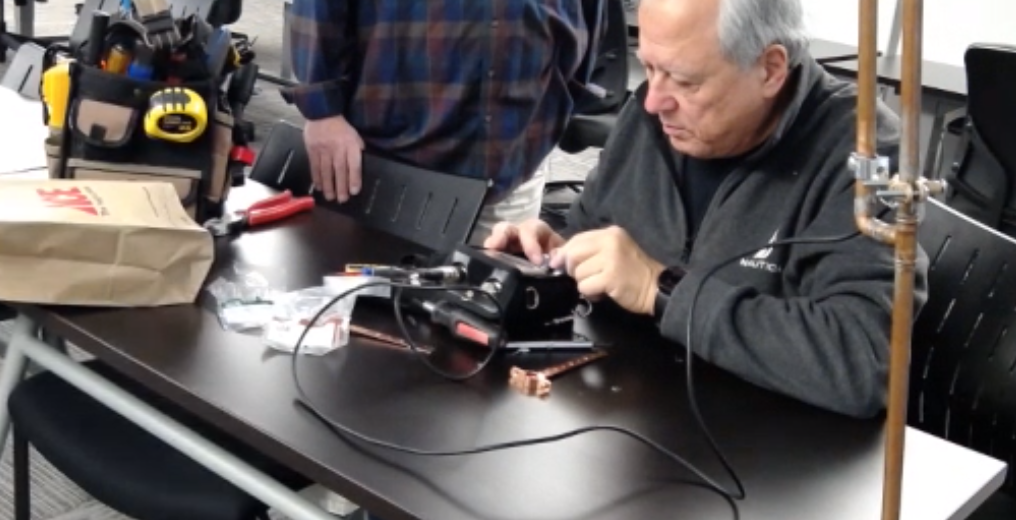
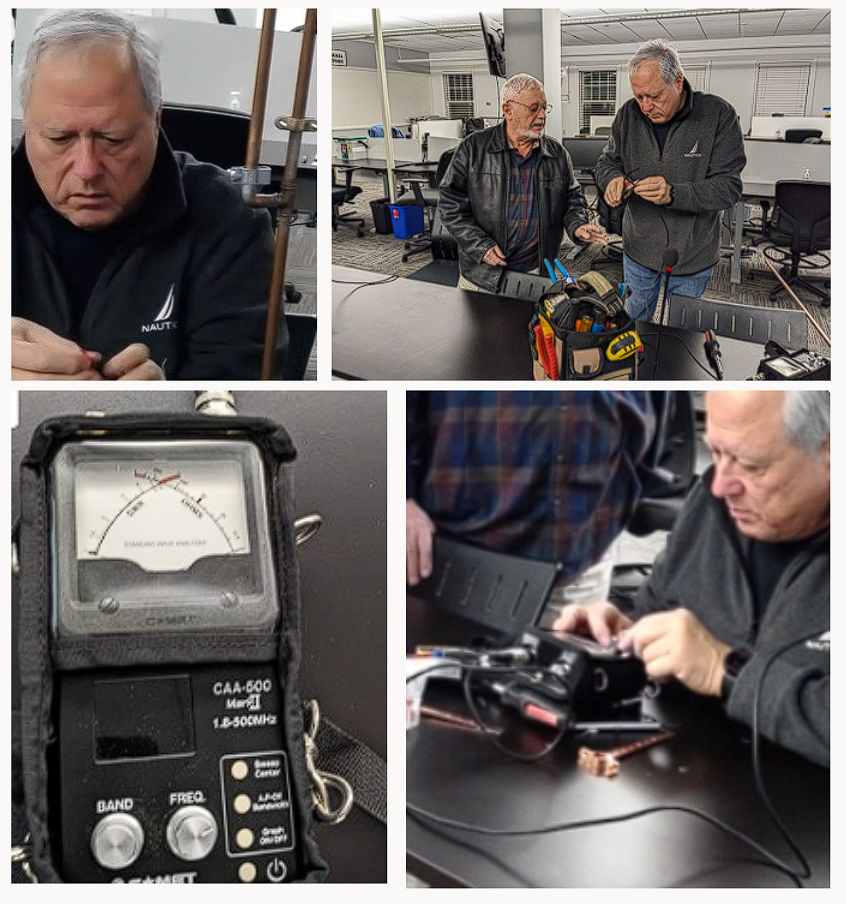
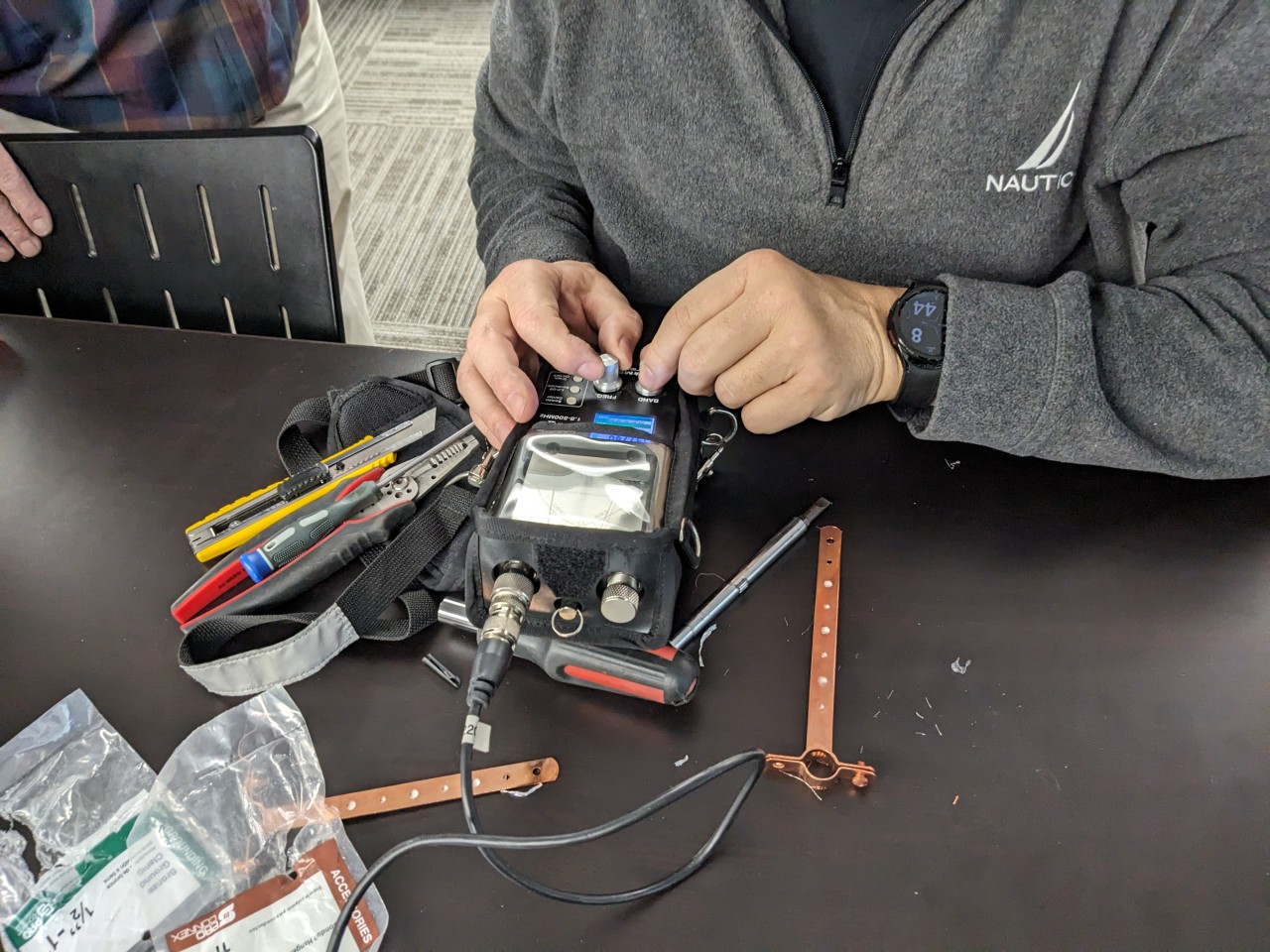
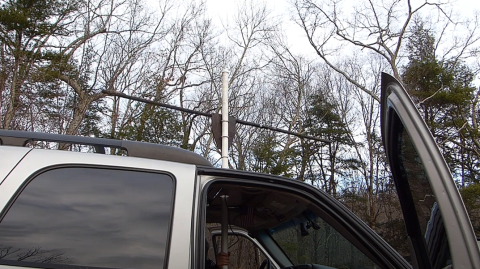
    We have a new project!!!!

    Tuning a J-pole antenna is a crucial step in optimizing its performance for a specific frequency or frequency range. The tuning process involves adjusting the lengths of the antenna elements to resonate at the desired frequency, which ensures maximum efficiency and a low standing wave ratio (SWR). Here’s a guide on how to tune a J-pole antenna:

    1. Prepare Necessary Tools:

    • SWR Meter or Antenna Analyzer: This tool is essential for measuring the standing wave ratio and ensuring that the antenna is properly tuned.
    • Coaxial Cable: Use a length of coaxial cable to connect your J-pole antenna to the SWR meter or antenna analyzer.
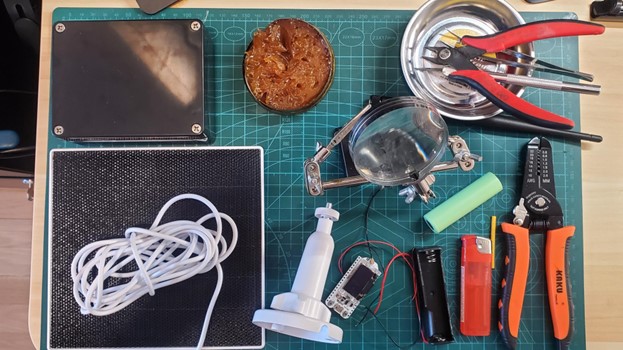
    • Adjustment Tools: Depending on your J-pole design, you might need tools to adjust the length of the elements. This could include a hacksaw for cutting tubing or wire, as well as a soldering iron if adjustments involve soldered connections.

    2. Initial Assembly:

    • Construct the J-pole: Build the J-pole antenna according to the design specifications. Follow the calculations for element lengths based on the target frequency.

    3. Install the J-pole:

    • Mount the Antenna: Install the J-pole in its intended location. Ensure that it is clear of obstructions and properly grounded if required.

    4. Connect SWR Meter:

    • Connect Coaxial Cable: Use a length of coaxial cable to connect the J-pole antenna to the SWR meter or antenna analyzer. Connect one end to the antenna feed point and the other to the SWR meter.

    5. Measure SWR:

    • Check Initial SWR: Transmit a test signal and observe the SWR readings on the meter. A high SWR indicates that the antenna needs tuning.

    6. Adjust Element Lengths:

    • Fine-tune the Lengths: If the SWR is too high, adjustments to the element lengths are needed. Make small adjustments, either by trimming or extending the lengths, and recheck the SWR after each modification.
    • Repeat the Process: Iterate this process until the SWR readings are within an acceptable range. Aim for an SWR close to 1:1 for optimal performance.

    7. Test Across Frequencies:

    • Check Bandwidth: Verify that the antenna performs well across the entire frequency band of interest. Make additional adjustments if necessary.

    8. Secure Connections:

    • Once Optimized: Once the SWR is within an acceptable range and the antenna is performing well, secure all connections to prevent unintentional changes.

    9. Final Installation:

    • Securely Mount the Antenna: If adjustments have been made, ensure the antenna is securely mounted in its final position.

    By carefully following these steps and making gradual adjustments, you can effectively tune a J-pole antenna for optimal performance on your desired frequency or frequency range. 

    Photo Credit: Mike Abbey

  • 2 Days with an X6100

    2 Days with an X6100

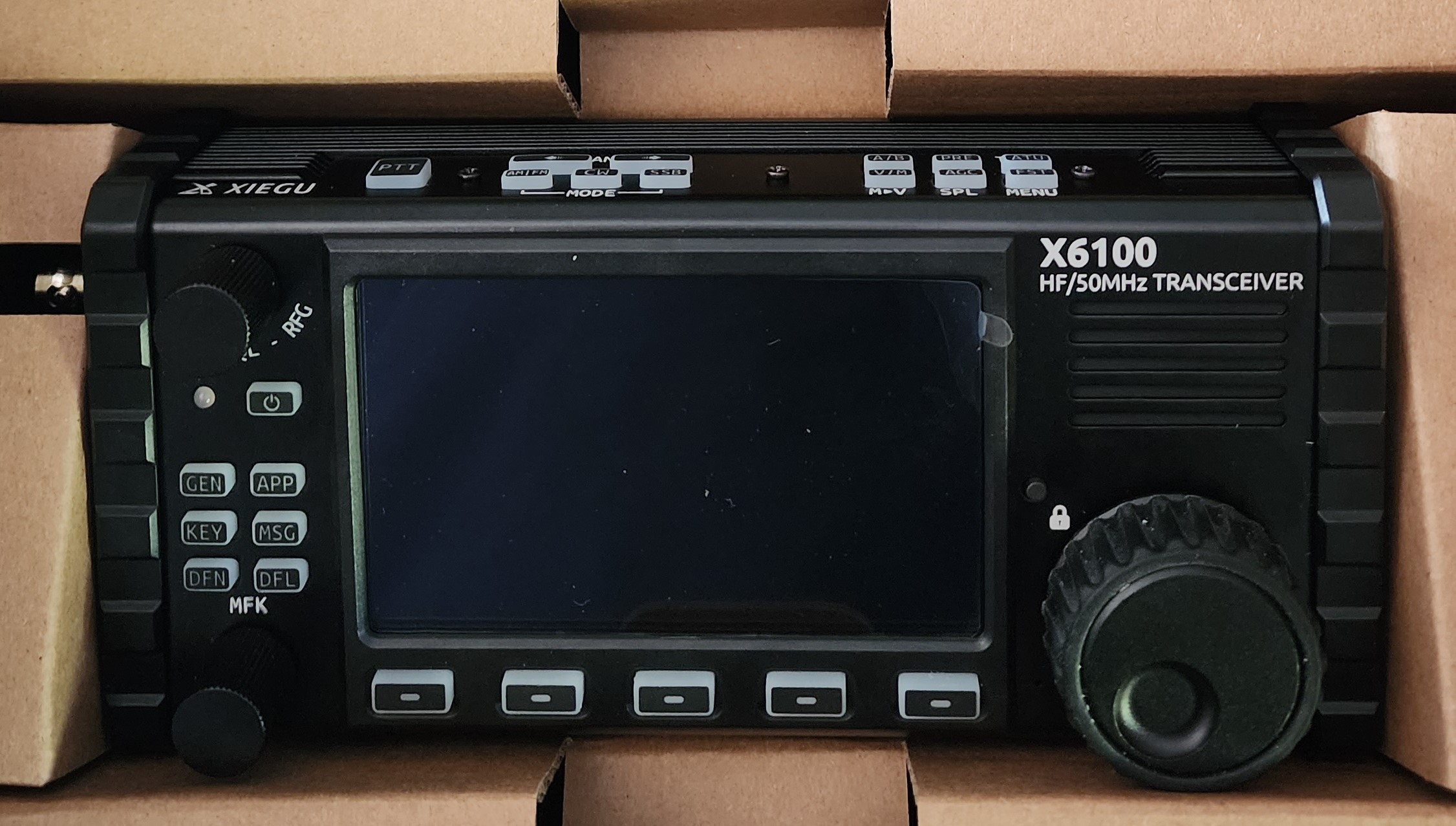
    This is that radio that people either love or hate. I’m in the middle. Right out of the box it feels solid but that was the last moment I felt only one way about this radio. The manual states that the initial few charges should take about 8 hours. I found that it took much less time to get the steady green light. And that unsettled me, because a factory reset will make the radio look like new, but it doesn’t roll back the battery, which left me wondering if I was its first owner.

    Once charged, I turned it on and was hit with this radio’s well-known problem of overload. I could hear AM stations all over the place. As I had read, one click of the ATT (attenuator) button made all that go away, but how many ham stations got lost? Later, I tried a broadcast band filter, and it cleared up the overload on 80m – 20m without the attenuator, but above that it was no help and I heard AM radio that didn’t flinch as I tuned or changed bands, so the attenuator is the ticket.

    On the X6100, the bands looked relatively quiet, so I fired up my IC7300 and it turned out they were. Spoiled by my IC7300, which shows the entire band on the waterfall (except on 10m), I truly missed seeing that on the X6100. But when I tuned to the area of the band that was active, I saw the stations show up. I must mention another minor but truly unpleasant issue with the radio was that the tuning knob was so stiff, it felt like it shouldn’t be turned at all. I’ve read this can be adjusted easily with a 1.5mm hex key, but at this point my arm was feeling it and the dimple on the tuning knob was simply a bad joke.

    I poked and prodded the buttons exploring the settings and confirmed that my filter was wide, all the noise reduction and blanking was off, and the firmware was even up to date. When I felt ready, I turned on the ATU and then long pressed the button to tune it. The radio was using its internal battery, so I was at 5 watts. Finally, I keyed the mike in response to a POTA from Ontario. As all “first calls” on a new rig should go, he came right back to me with a 57-signal report and an unsolicited comment about how good my audio was. I made a few more contacts, with surprising ease.

    Then I connected my laptop. I had preinstalled the USB drivers for the radio. Some people say you don’t need to do that, but since they existed, I figured why not. I usually use OmniRig since it will let multiple programs talk to the radio in parallel. But OmniRig (v1.2) doesn’t really support the X6100. I used OmniRig with LOG4OM and the X6100, but things went badly when I added WSJT-X, so I learned to use LOG4OM without connecting it to the radio as WSJT-X sends all the necessary info to log QSOs.

    Using the USB connection worked smoothly and as with SSB I made a quick contact and a few more to follow. At some point I pushed one of the menu buttons simply entering a menu, I changed nothing and exited the menu and then I got blasted with extremely loud FT8 (yes, I listen). The digital signal levels went through the roof too. This was hard to beat, even dropping the Line Out levels to 1 didn’t solve the problem. Finally, lowering the RF Gain to about half improved things. Later, turning off the radio and restarting it worked too. This problem happened from time to time. Other than managing the variable output levels, FT8 at 5 watts was smooth, easy, and surprisingly productive (-10 was about the cut-off for an easy reliable contact).

    Getting ambitious I navigated to the Bluetooth settings, so I could try FT8CN from my phone. I enabled it and the radio froze – power-cycle. Over the next 48 hours, power-cycling the radio became routine. A second try at Bluetooth didn’t freeze the radio, but also, didn’t get me making FT8 contacts. Everything worked except transmitting. Sometimes the radio didn’t go into transmit mode and sometimes it would, but without audio. I even found an online video of someone not being able to get this to work. In all fairness, FT8CN is Alpha software, so it might not be the radio.

    On my IC7300, I rarely use my attenuator, but I often combat the noise floor by turning down my RF Gain as well as using a healthy amount of Noise Reduction, and always using Noise Blanking and Auto Notching. I found that with the attenuator active on the X6100 I used very little to no Noise Reduction or Blanking. And any time I saw a station on my IC7300, and tuned there with the X6100, I found the station, so I didn’t lose too much with the attenuator. On occasion, I found the lightest Noise Reduction possible would make a very pleasant difference. The received audio quality is good when the volume is moderate or low, but turning the volume up, it gets very bad. This is true with both speakers and headphones.

    I operated through a few charge/discharge cycles and found the radio just didn’t perform well when I pressed it to do anything fancy. And then there were the volume blasts when I would wander into some menu that shouldn’t affect anything. There were also many spontaneous stray noises, pops, and quirky moments when the waterfall would go all red.

    Despite this, any time I just wanted to make a basic contact, I would. One was W1AW/4. There was a pile up of course, so the X6100 was no match. But after a few calls I heard “Was there a QRP in there?” and that was my cue. I made my call receiving another good signal report. When I returned his 59+20 I also mentioned my 5 watts. The operator expressed his surprise and enthusiastically told me I had a great signal for 5 watts from New Jersey to South Carolina. Clearly the radio can do something. Of course, I didn’t get the SSB contact from Moscow, but you know I tried.

    I’ve taken my IC7300 into the field, but don’t enjoy that process. I was hoping to find a good basic radio that was compact and all-in-one – the unicorn. I had read the reviews, so I didn’t expect a unicorn, but I hoped the X6100 would be good enough. Specifically, I was looking for a radio that would make SSB contacts without having to take “extra bits” besides antennas. Along this line I also wanted a radio I could use for FT8 with my phone. And one last thing, I wanted it to just plain work. This isn’t that radio, maybe it will be some day, but I don’t know how many of the issues relate to hardware and how many can be fixed in software. I hope it will improve, but for now I’ve received my RMA# from Radioddity and it’s on its way back.

    Rich Kopelow
    kd2wjr

  • Simple Guide for a POTA activation

    Simple Guide for a POTA activation

    To conduct a POTA (Parks on the Air) activation, which involves operating amateur radio equipment from a designated park or natural area, follow these general steps:

    1. Research Parks: Identify parks or natural areas that are eligible for POTA activations. You can visit the POTA website (https://parksontheair.com/) or use the POTA mobile app to find eligible parks near your location. Make sure to check the rules and regulations specific to the park you plan to activate.
    2. Obtain Permits (if necessary): Some parks may require permits or permissions for radio operations. Contact the park authorities to inquire about any specific requirements and obtain the necessary permits or permissions well in advance of your planned activation date.
    3. Plan Your Activation: Determine the date, time, and duration of your activation. Consider factors such as weather conditions, park accessibility, and potential interference from other activities in the park. Prepare a detailed plan including the equipment you will use, the bands and frequencies you intend to operate on, and any special considerations for antenna setup.
    4. Set up Your Equipment: Gather all the required amateur radio equipment, including your transceiver, power source, antennas, cables, and any accessories. Set up your equipment according to your plan, ensuring proper grounding and compliance with safety regulations.
    5. Antenna Deployment: Install and configure your antenna system based on the available space and park regulations. Consider using portable or temporary antenna solutions such as wire antennas, vertical antennas, or magnetic loop antennas. Ensure that your antenna installation is safe and does not cause any harm to the environment or park structures.
    6. Make Contacts: Begin operating your amateur radio equipment and start making contacts with other amateur radio operators. Use the designated POTA frequencies or work the bands that provide the best propagation conditions at that time. Be courteous and follow good operating practices, adhering to the regulations and guidelines set by your licensing authority.
    7. Log Your Contacts: Maintain an accurate log of all your contacts during the activation. Include relevant information such as the call signs of the stations worked, the time of contact, the band and frequency used, and any additional details required for POTA credit. Ensure that your log is complete and legible.
    8. Share Your Activation: After completing your activation, consider sharing your experience with the amateur radio community. Upload your log to the POTA website or app to receive credit for your activation and contribute to the POTA program. Share photos, videos, or blog posts on social media or amateur radio forums to engage with fellow operators and promote the POTA program.

    Remember to always respect park rules and regulations, practice good environmental stewardship, and represent the amateur radio community positively during your POTA activation. Enjoy the opportunity to operate outdoors and explore the beauty of nature while pursuing your amateur radio hobby. 

  • WEARC Fox Hunt April 2023

    WEARC Fox Hunt April 2023

    The fox:

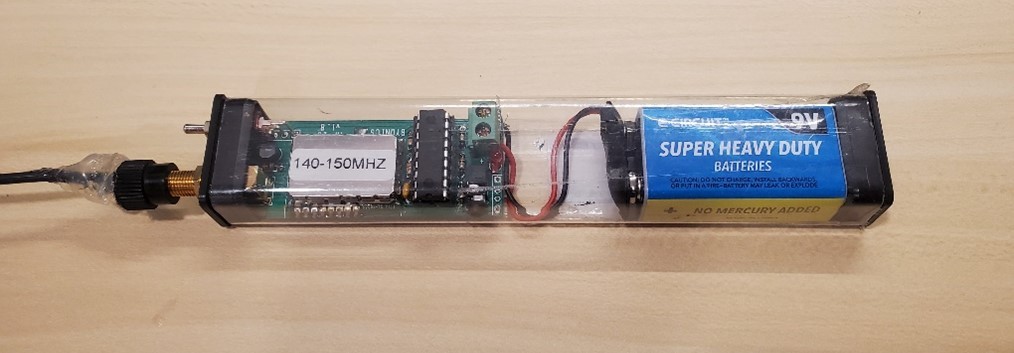
    Bionics MicroFox 15 (@146.565 MHz)

    https://www.byonics.com/mf


    The “hunting weapons”:


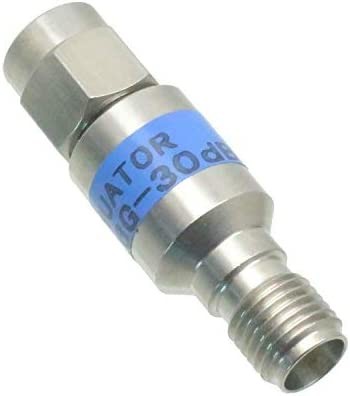
    MWRF Source SMA Male to SMA Female 6GHz Attenuator 2W (30 dB)

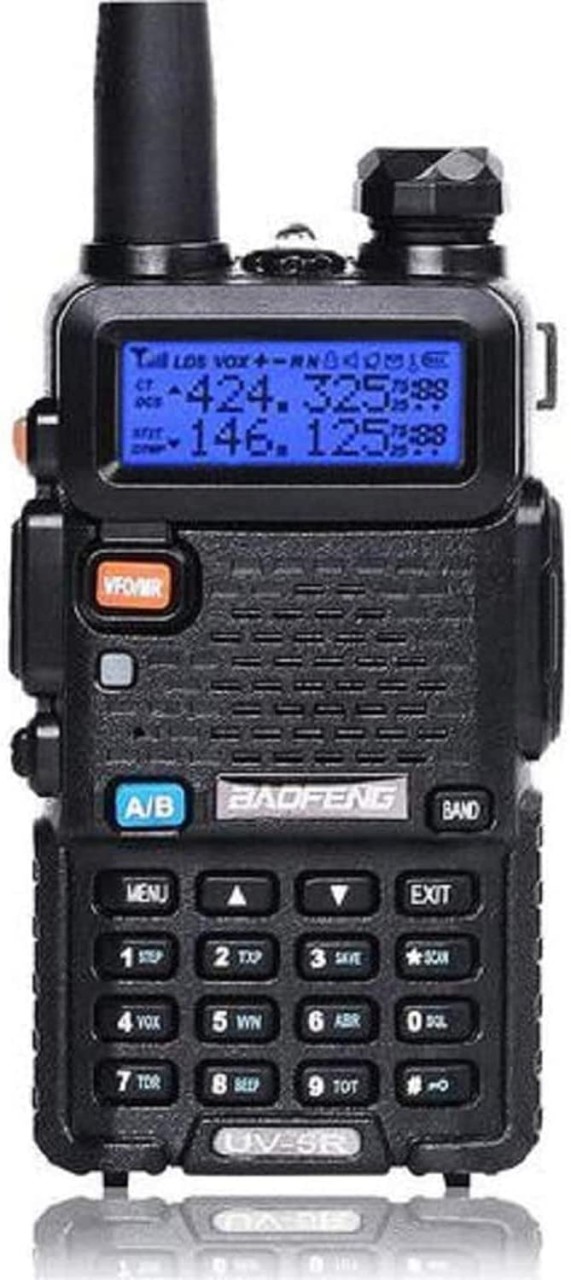
    The greatest transceiver of all times: Baofeng UV5R  

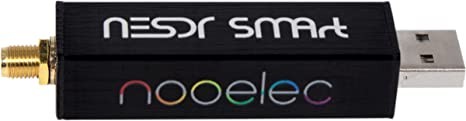
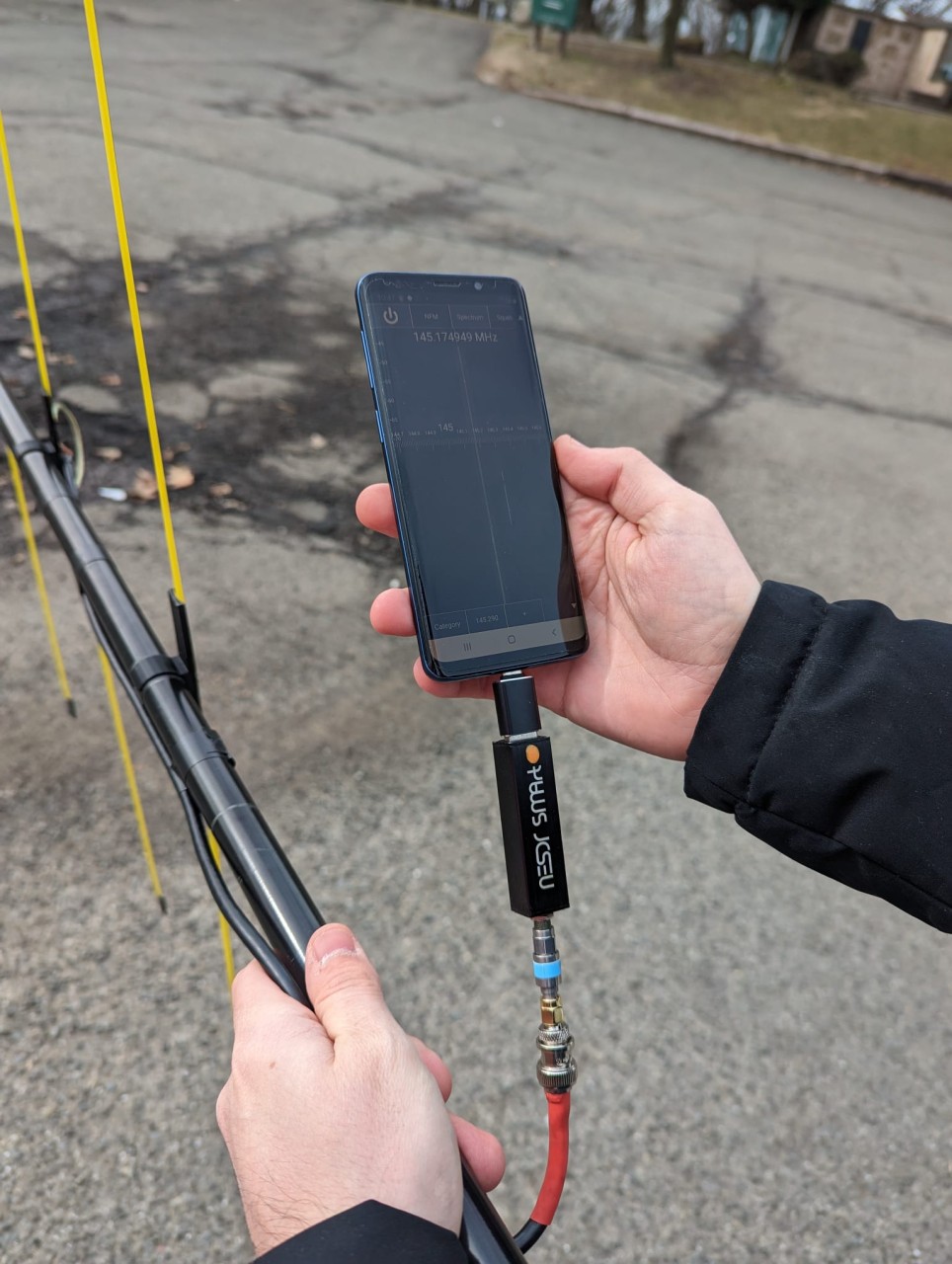
    SDR: Nooelec RTL-SDR v5 SDR – NESDR Smart HF/VHF/UHF (100kHz-1.75GHz)

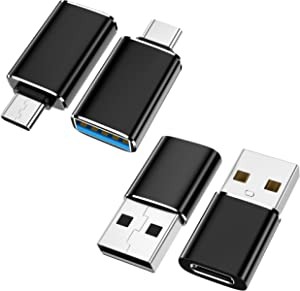
    USB C Male to USB female adaptor

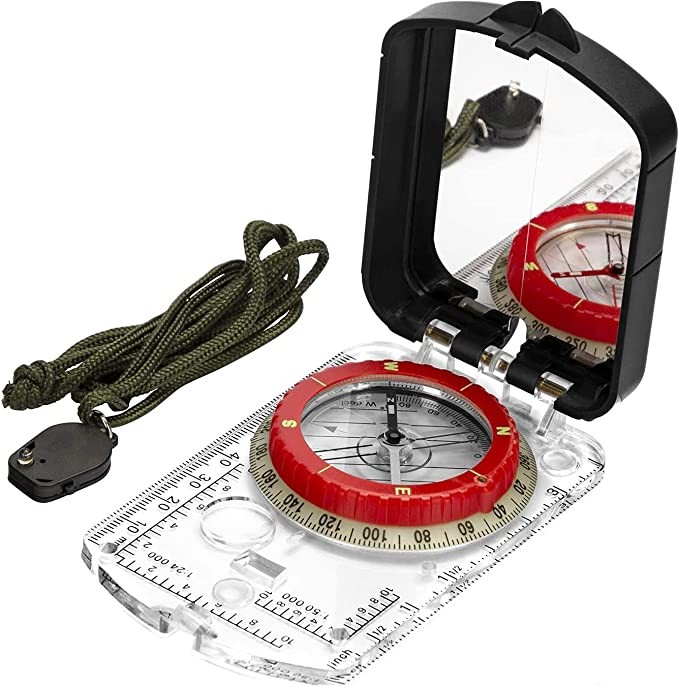
    Compass: BIJIA Orienteering Map Compass


    Yagi:

    Metal broom handle from the Dollar Tree

    Measure tape from the Dollar Tree

    RG8X Coax + BNC connector

    3D printed support for the measuring tape 

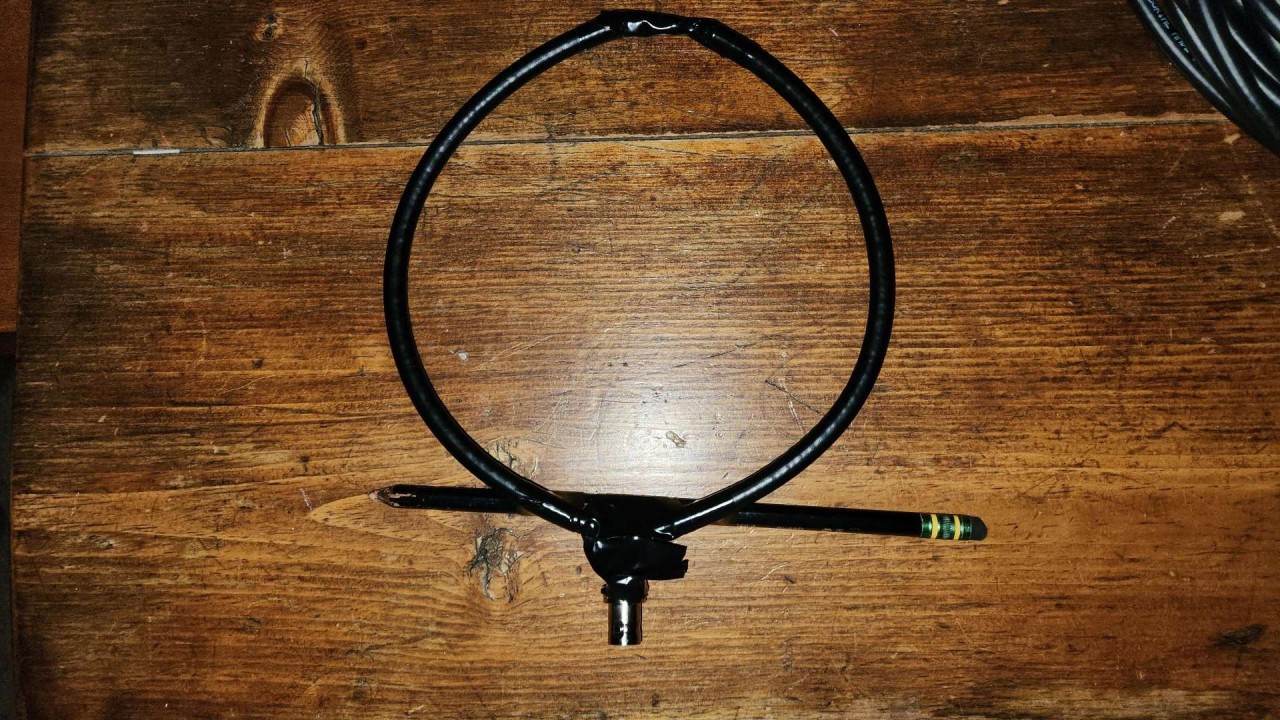
    Loop Antenna:

    Just a piece of coax and a BNC connector. At the top there is only a coax’s shield gap of 1 inch. Pencil is just giving support to the cable. 

    https://www.youtube.com/watch?v=zJbBWm6KyOM

    Software:

    App to calculate antenna dimensions:

    https://play.google.com/store/apps/details?id=com.daveyhollenberg.amateurradiotoolkit

    SDR for the Android (also available for iPhone):

    https://play.google.com/store/apps/details?id=marto.androsdr2

    Premium key ($10,99):

    https://play.google.com/store/apps/details?id=marto.androsdr.key

    Driver (to connect to any SRD USB rig):

    https://play.google.com/store/apps/details?id=marto.rtl_tcp_andro

    App to mark the bearings:

    SigTrax ($3.99)

    https://play.google.com/store/apps/details?id=com.amcept.sigtrax


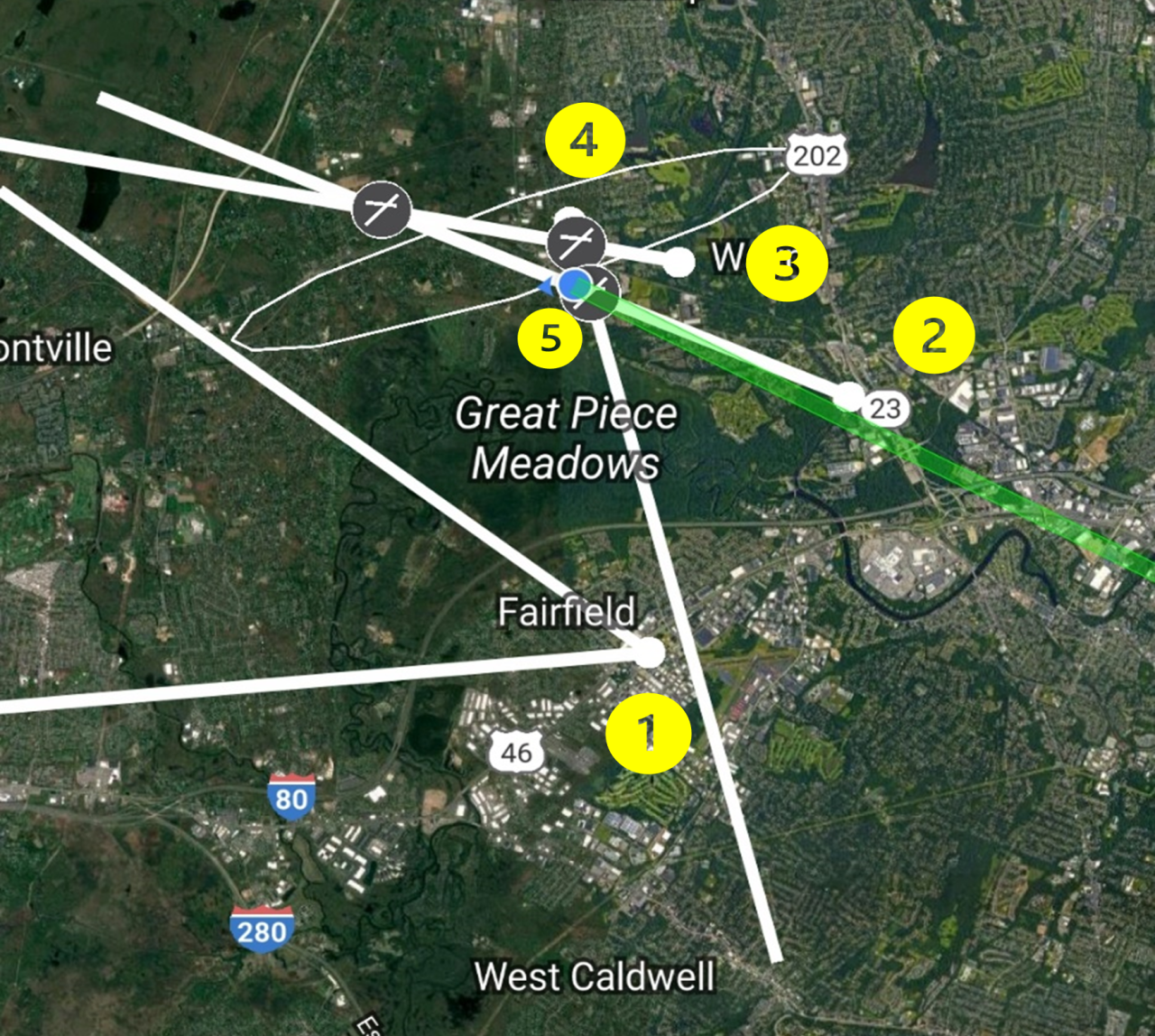
    We started at 10AM at the Red Cross parking lot (Point 1 on the map below). Jerry initiated transmission from his HT with 5W in 10-minute intervals, we got 2 bearings (both off) and Yagi was pointing Northwest, Loop was pointing West but also reading Northwest when elevated a couple feet. We decided to go Northeast to a park at Point 2 on the map, at which point we both got a good reading. We were agreeing 100%, and the bearing was PRECISILY pointing to the fox. This was impressive.

    However, we were not very confident at that point because it was a parallel line to the fist bearing, but both were pointing West, so we decided to go all the way North to Point 3 where we got the first intersection with bearing from Point 2.

    Driving to Point 4 was our best option because we were almost getting out of the 5 mile range, and the signal was strong. We used the attenuator and Jerry called to say that he was going to use just the low power (15mW). Pressure was on. Interesting enough, driving around the car’s mobile radio started to receive even in low power. We knew we were close. At Point 4 the Yagi was not very precise, but the loop antenna got a PERFECT bearing Southwest so we narrowed down to the nearest park/public area.

    We were close but we got a lot of signals bouncing around in multiple directions. We used the HTs with the rubber ducky antennas. Key factor here was to use our bodies as a barrier to confirm the direction that was not receiving. Holding the HT close we were able to determinate the rough direction and walked 1 block to Point 5 where we saw Jerry! 

    From that point we just removed the antenna completely, walked around using the “body shield technique”, and voila! Fox was found. 

    1:43hs in total (coming back to Red Cross only took 12 minutes). Total distance traveled was 7.99 miles. We used Komoot app to track and made a nice video using the Relive app:

    https://www.relive.cc/view/vWqB3jLMmQv


    Tips and improvement opportunities: 

    1. Clearly it’s is a team effort, one driver and one navigator with an Yagi would speed up the process a lot. It might be better to use aluminum wire and a PVC pipe to get a more stable structure and put the antenna outside of the car while driving. A good bearing could be taken in open areas with no buildings around and small corrections could be done while moving.

    2. It’s extremely important to plan, check the topography to understand where the signal could bounce and try not to go straight to the initial direction but at least 30 degrees off the last bearing to triangulate.

    3. Without a signal strength meter it would be impossible. The SDR provides precise readings. Attenuators are very important from close range but it would be nice to have more options, maybe 10 db, 20 db and 30 db and not only one 30 db. Best option is to build a decent one. 

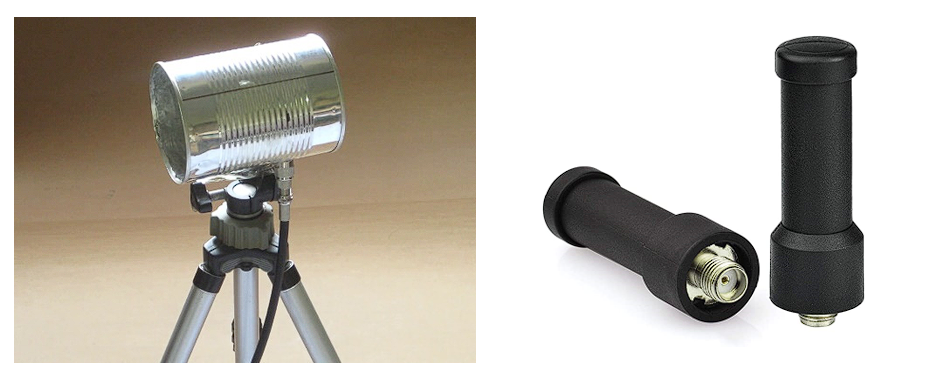
    4. Instead of using our body as shields, a better solution could be to use a can and a mini antenna tuned in the 3rd harmonic (fox frequency X 3 => 146.565 * 3 = 469.695 MHz).

    Some ideas to be tested: 

    Overall, it was a great experience. From building directional antennas to training navigation skills, this simple and fun experience will test your abilities. We are ready for the next one! 

    Best reference to learn more about Fox Hunts: http://www.homingin.com/

    Special thanks to Jerry, WB2GZL. He idealized, gave us all the guidance, hid the fox and helped us every step of way!  

    73s

    KD2WWU

  • Grover Cleveland Special Event – 2022

    Grover Cleveland Special Event – 2022

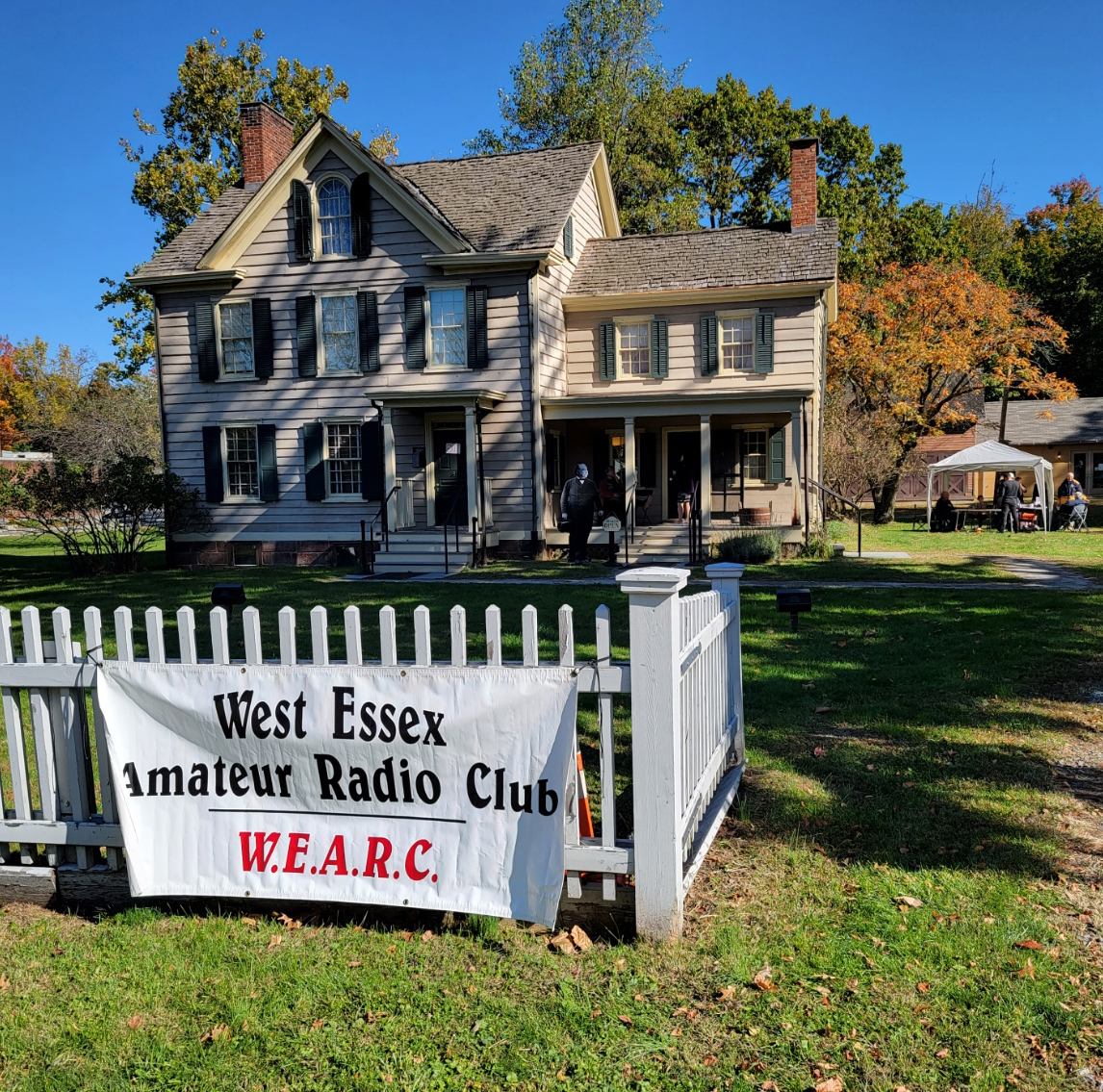
    The West Essex Amateur Radio Club returning to normal operations held our annual outing at the Grover Cleveland House in Caldwell. During this event the club operates station W2EF at the birth place of President Grover Cleveland. This event provides an opportunity for the community to visit a historic location and learn about Ham Radio as the club members work to make contacts all over the world during the event.

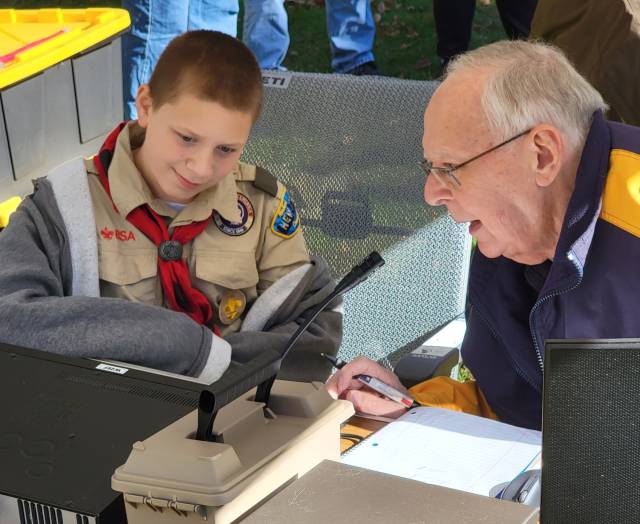
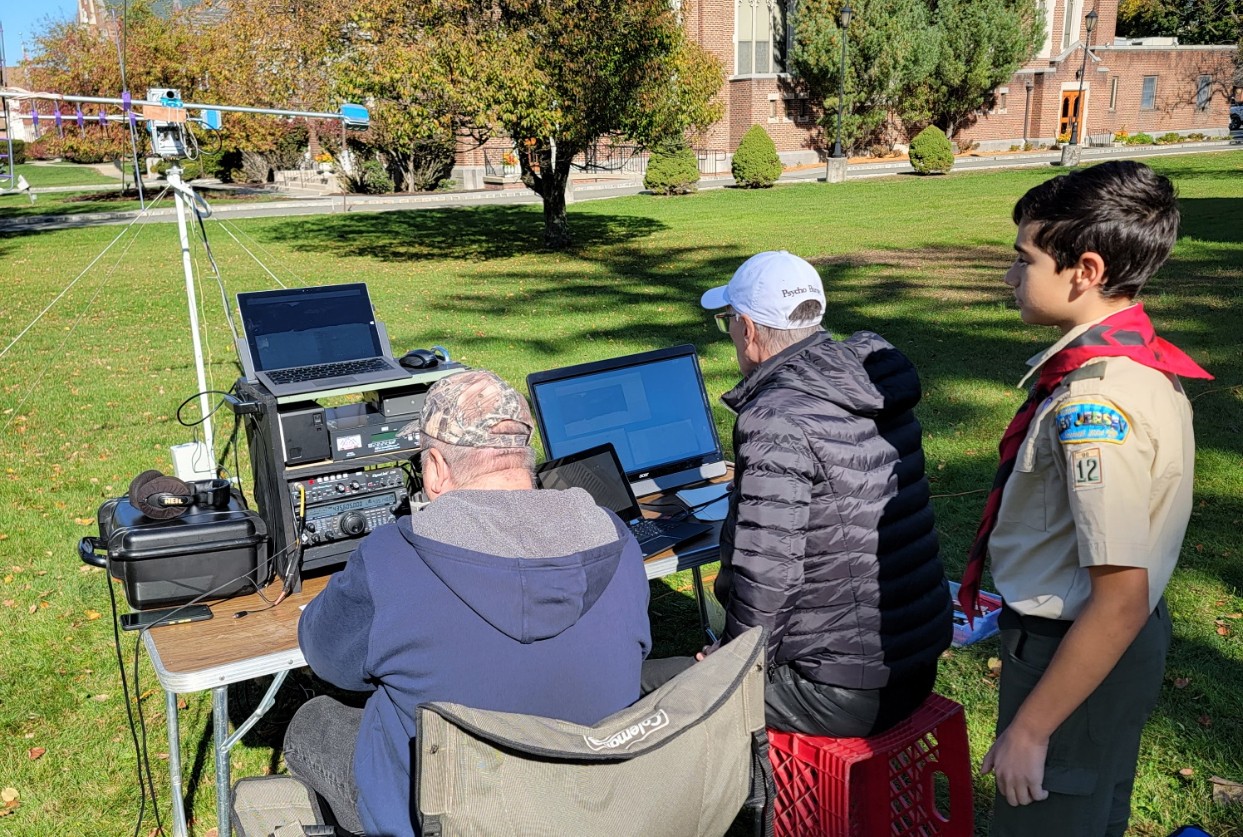
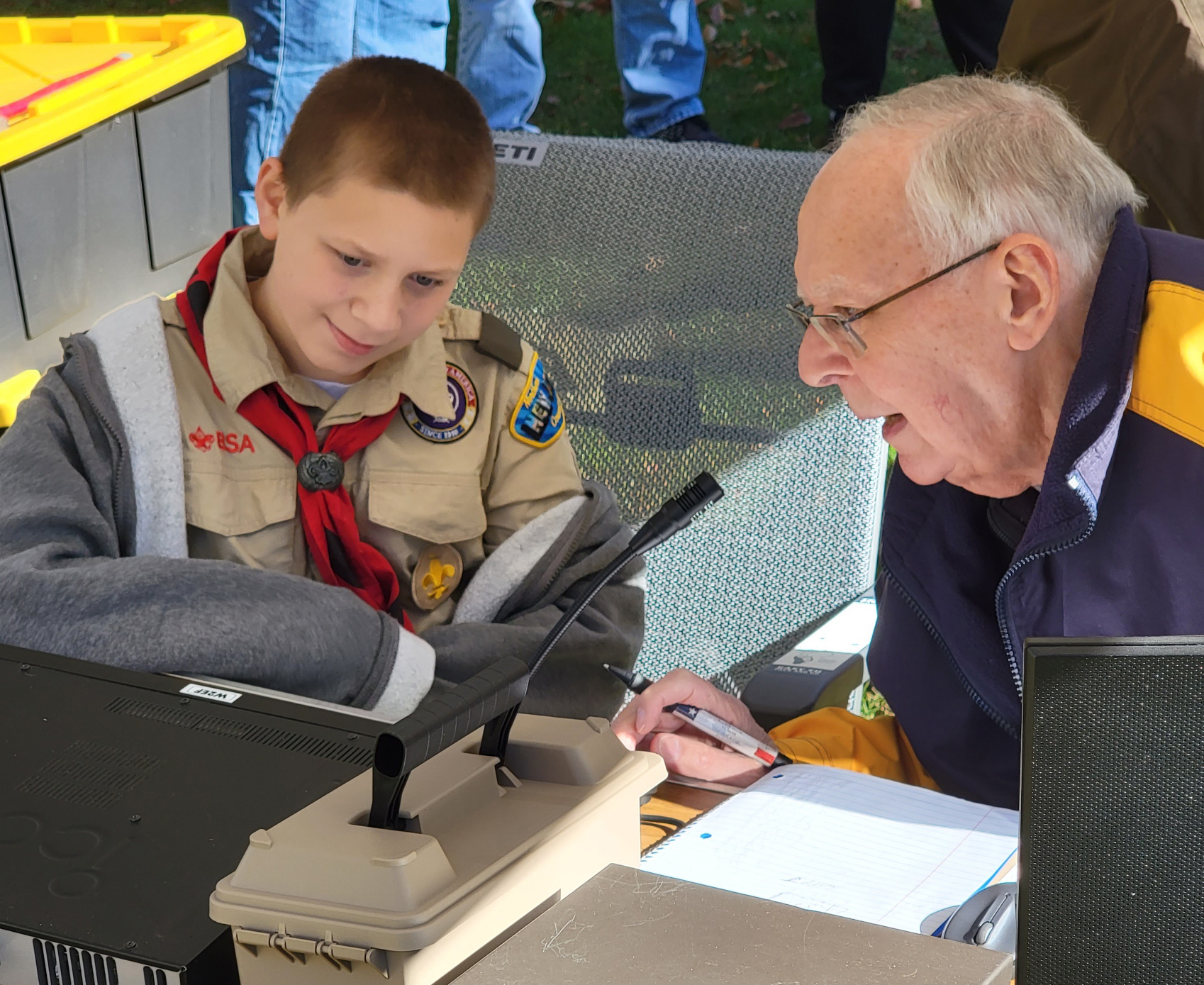
    During the event scouts from Troop 12 of Livingston were invited by the club to work on their Radio Merit Badge. Seen here with Don Saltzman – K2DEG (SK). Above Don works with Scout Joe on making contacts via HF.

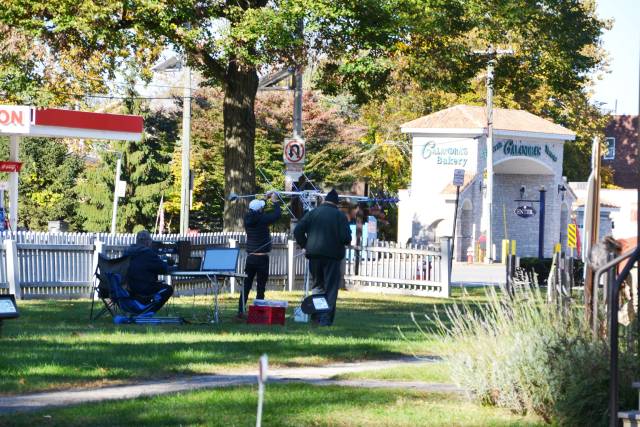
    As the club continues to work on Satellite Tracker the club had the station up and running for this event. The club continues to tweak the tracker to get better performance and results. The more we deploy the Satellite tracker the more proficient we will become with its use.

     While Steve and John worked on the Satellite tracker station scout Marco from Troop 12 looks on. 

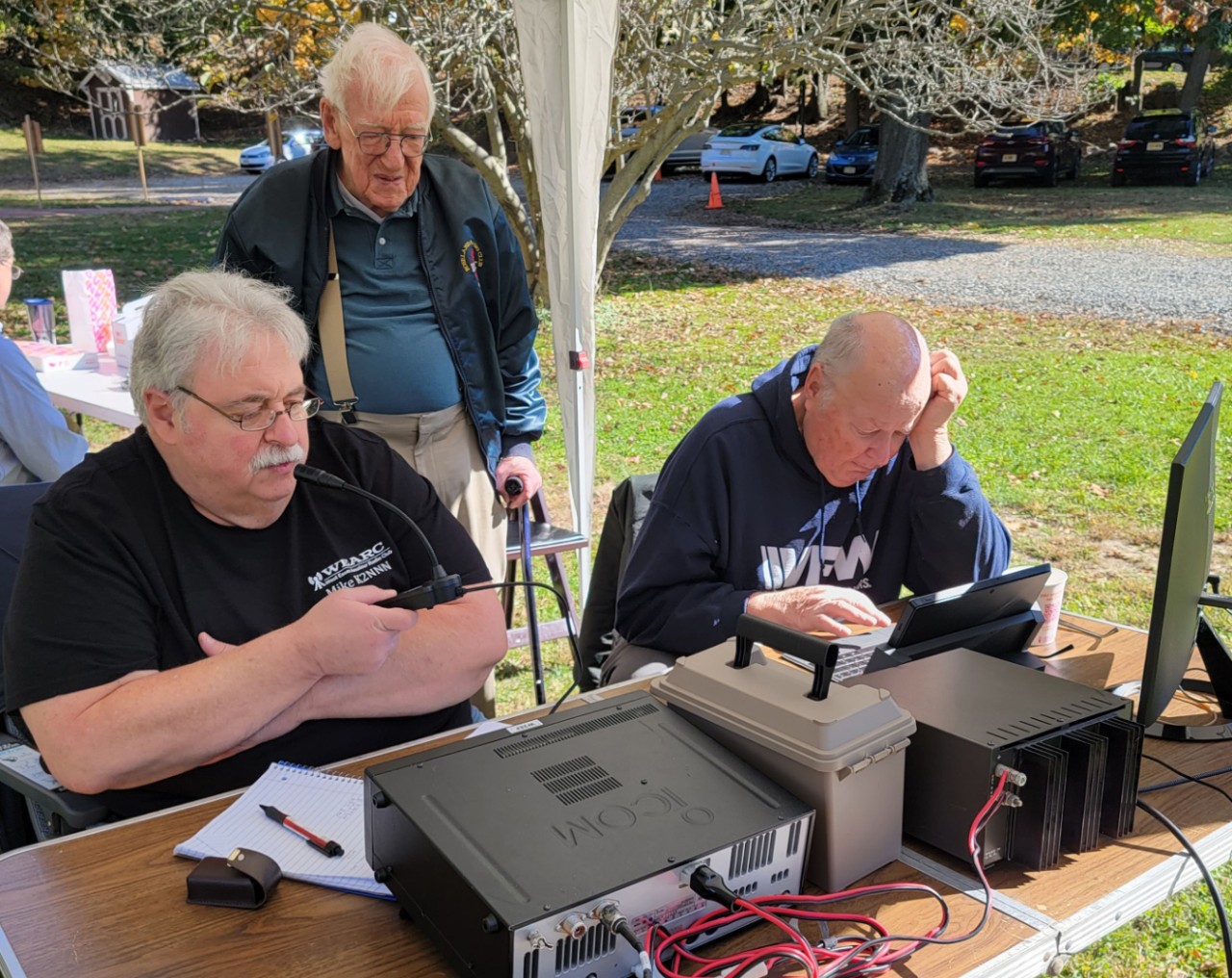
    MIke (K2NNN) and Henry (KC2WRQ) work on making contacts. Mike is utilizing the ICOM 7306 while Henry is using the PC logging equipment to ensure all contacts are properly logged. Long time WEARC member Harvey (W2YWC) looks on. 

    Additional Photos from the days event

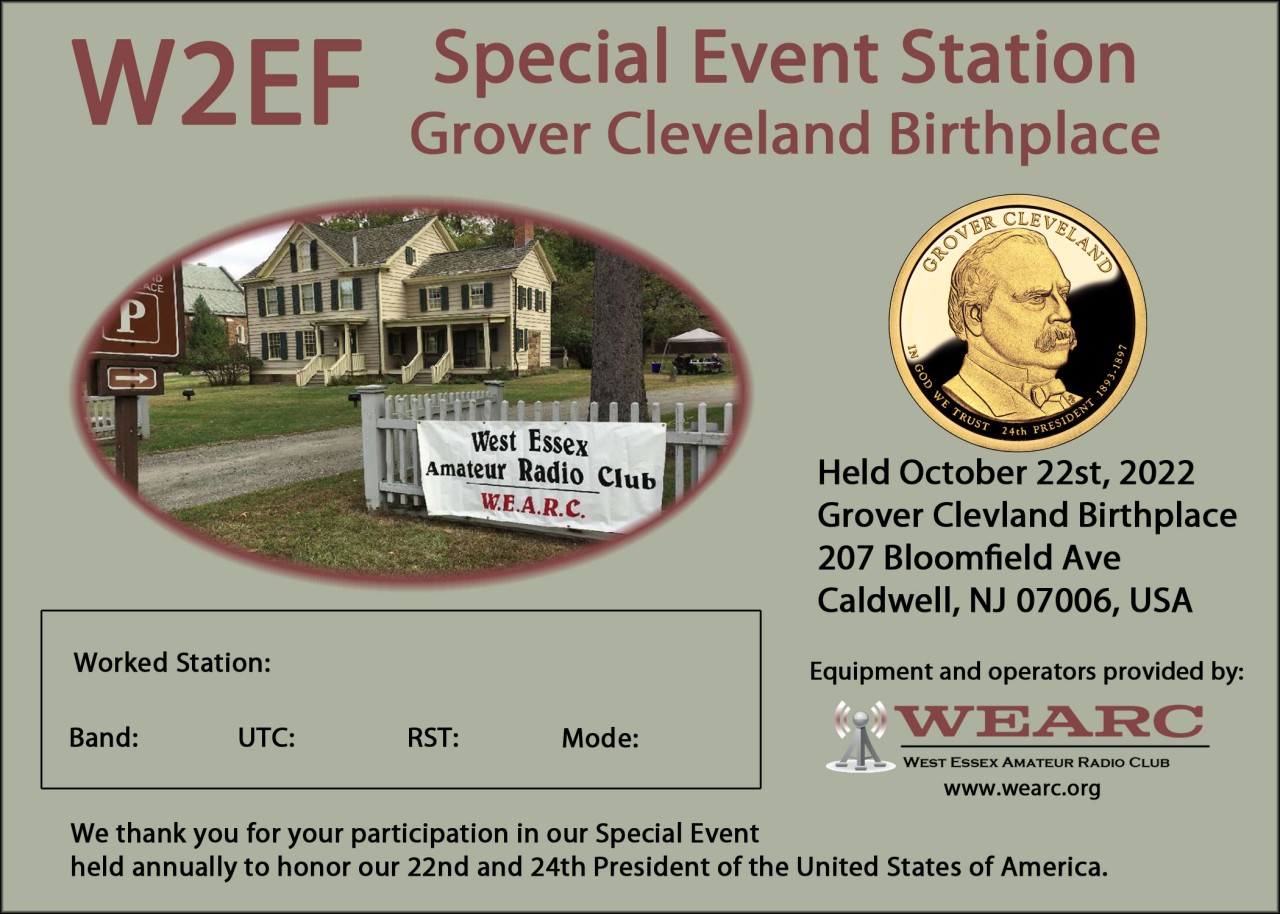
    W2EF has sent a QSL Card to each of the stations we made contact with during our special event.

  • Meshtastic

    Meshtastic

    Meshtastic is an open-source, low-cost, long-range, and secure mesh networking platform that has been gaining popularity among technology enthusiasts and outdoor adventurers. This platform enables people to create decentralized, private, and resilient wireless networks that can operate without the need for centralized infrastructure or internet connectivity. In this article, we will explore what Meshtastic is, how it works, and why it matters. NO license needed!

    What is Meshtastic?

    Meshtastic is a software and hardware platform that allows users to create a mesh network using off-the-shelf hardware and open-source software. The platform uses the LoRa (Long Range) radio technology to enable long-range, low-power, and low-cost wireless communication between devices. The devices can communicate with each other directly, forming a decentralized network that can operate in remote areas, without internet connectivity.

    The platform includes both hardware and software components. The hardware includes small, battery-operated devices that can be carried by users, such as backpackers, hikers, or bikers. These devices are called Meshtastic nodes and are equipped with GPS, Bluetooth, and LoRa radios. The software includes a mobile application that users can install on their smartphones to interact with the nodes and other users on the network.

    How does Meshtastic work?

    Meshtastic nodes communicate with each other using the LoRa radio technology, which enables long-range communication with minimal power consumption. The nodes can transmit data to other nodes directly, or they can relay the data to other nodes until it reaches the intended recipient. This means that the network can adapt to changing conditions, such as node movement or obstacles, and still maintain connectivity.

    The nodes can transmit and receive different types of data, such as text messages, GPS coordinates, and sensor readings. The mobile application provides a user-friendly interface for users to send and receive messages, view maps, and configure the nodes. The application also includes a feature that allows users to send emergency messages that can be broadcasted to all nodes on the network.

    The platform uses end-to-end encryption to ensure that all data transmitted on the network is secure and private. This means that only the intended recipient can decrypt and read the messages. The platform also includes a feature that allows users to create private groups, which can only be accessed by members with the correct encryption keys.

    Why does Meshtastic matter?

    Meshtastic is an innovative platform that has the potential to transform how people communicate and stay connected in remote areas. The platform enables users to create decentralized networks that are resilient, private, and secure. This can be especially important for outdoor adventurers, such as hikers or backpackers, who may not have access to internet connectivity or reliable cell phone coverage.

    Meshtastic can also be used in other contexts, such as disaster relief, where traditional communication infrastructure may be unavailable or damaged. The platform can enable first responders and volunteers to quickly establish communication networks to coordinate relief efforts and provide assistance to those in need.

    Finally, Meshtastic is an open-source platform, which means that anyone can contribute to its development and improvement. This can lead to the creation of new features, applications, and use cases that can further expand the platform’s capabilities and impact.

    Conclusion

    Meshtastic is an innovative platform that enables users to create decentralized, private, and secure wireless networks using off-the-shelf hardware and open-source software. The platform uses the LoRa radio technology to enable long-range communication with minimal power consumption, and includes a mobile application that provides a user-friendly interface for users to interact with the network. Meshtastic has the potential to transform how people communicate and stay connected in remote areas, and can be used in various contexts, such as disaster relief. The platform’s open-source nature also makes it a collaborative effort that can lead to further expansion and improvement.

    Meshtastic node map: https://canvis.app/meshtastic-map

    WEARC is working to develop a Meshtastic net in Essex County and we can help you with your ham radio or Meshtastic projects. Contact us: admin@wearc.org. Become a member or just enjoy our online content.

    73,

    KD2WWU 

  • AREDN

    AREDN

    Amateur Radio Emergency Data Network (AREDN) is a mesh networking solution that utilizes amateur radio frequencies for communication. This technology provides a versatile and reliable solution for emergency communications during natural disasters or other emergency situations.

    Ham radio operators have long been involved in emergency communication efforts, providing a means of communication when traditional communication methods fail. AREDN takes this concept to the next level by creating a mesh network that allows multiple nodes to communicate with each other, even if they are not within direct line-of-sight.

    AREDN operates on amateur radio frequencies that are reserved for non-commercial use. This means that it can be used without requiring licensing from the Federal Communications Commission (FCC), as long as it is being used for emergency communication purposes.

    One of the key benefits of AREDN is its ability to create a self-healing network. This means that if one node in the network goes down or is destroyed, the other nodes can automatically reroute traffic to maintain communication. This makes AREDN an ideal solution for emergency response teams, as it can provide communication even in the most challenging conditions.

    AREDN is also highly customizable, allowing users to tailor the network to their specific needs. For example, nodes can be set up to prioritize voice or data traffic, depending on the type of communication needed. This flexibility allows AREDN to be used in a wide range of applications, from disaster response to community events.

    One of the challenges of using AREDN is the need for specialized hardware. Nodes must be equipped with compatible hardware and antennas to communicate with each other. However, once the network is set up, it provides a reliable and versatile communication solution that can be used in a variety of situations.

    AREDN is also open source, meaning that the code is freely available for anyone to use and modify. This allows for a community-driven development process that can lead to new features and capabilities being added over time.

    Overall, AREDN is a valuable tool for ham radio operators and emergency response teams. Its ability to create a self-healing mesh network provides a reliable and flexible communication solution that can be used in a variety of emergency situations. While it does require specialized hardware, the benefits of AREDN make it a worthwhile investment for those involved in emergency communication efforts.

    At WEARC we have members highly involved in AREDN that can help you achieve your goals and have fun developing the net in the Essex County area. Reach out to us via admin@wearc.org right now!

    73,

    KD2WWU 

  • Unexpected passing of our President Don K2DEG

    Unexpected passing of our President Don K2DEG

    I am shocked and sad to have to report that Don, our club president, has joined the silent keys on the other side of the DX. Don passed on 26th December 2022 from complications recovering from COVID.

    None of us anticipated losing Don so suddenly and I am sure many of us would have wanted to share the New Year with him, all of us will miss his wisdom, experience and humor that helped keep our club together.

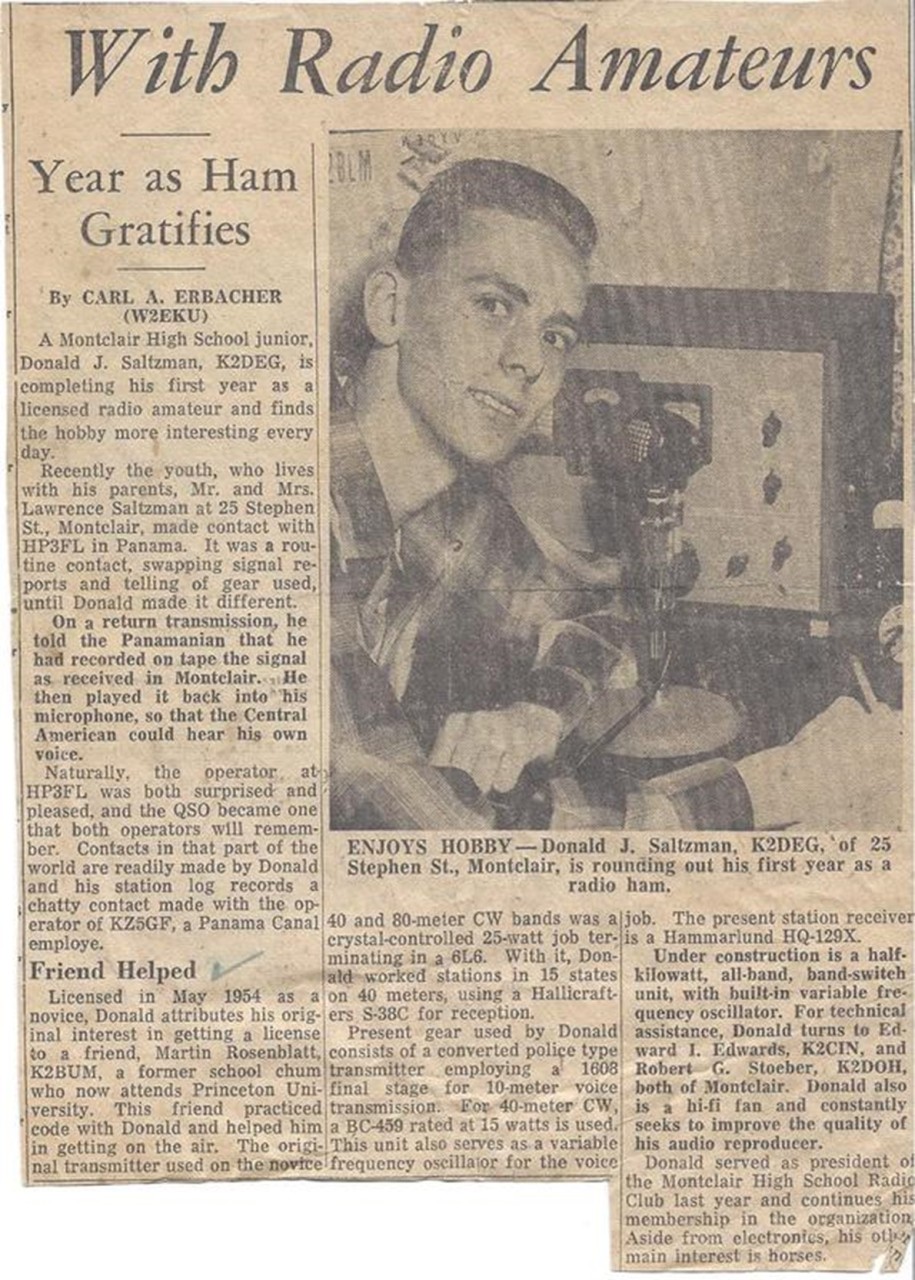
    Don was first licensed at the age of 15 as a Novice in 1953 (KN2DEG) in Montclair, NJ. There was an article about him in the local paper. He went on to get General, Advanced and finally Extra Class licenses, He was also very proficient at CW having been an instructor during his military service as a sergeant in the Army National Guard for eight years.

    Don was married to Marilyn for over 61 years, had two children and was a proud grandfather. Professionally he worked as a CPA and founded his own firm with a couple of partners in Fairfield, NJ finally retiring after enjoying 50 years with the firm. He also enjoyed playing the banjo, singing, collecting antique broadcast radios, and cooking.

    Don had been a Ham for 69 years, a significant achievement. A member of the ARRL he was awarded the DX World Award in 2018, a life member of Ten Ten International (#1239) where he always took part in their contests. He wanted to pass down his Ham Radio experience, bringing his grandchildren to all the club events and getting them talking on the air.

    We will always remember Don as a strong member of our club and it is fitting to see him pictured at our last club event, Grover Cleveland where he was passionately helping a young cub scout operate on air.

    Some words from our members…

    Don was a great guy as well as a leader. When WEARC’s president, John, N2NO, passed away suddenly, Don stepped in and took his role. He helped the club move forward with club projects such as the satellite project and supporting the DMR switch. He was also a big help with VE sessions.

    When COVID hit, we were no longer able to host our VE sessions at the Essex Fells building. Don, came up with the idea of asking his former company to allow us to use the covered driveway under their building for the sessions. This allowed us to start out “Stay in your car” VE sessions to get through COVID. These sessions were very successful, not only in helping to get operators licensed, but also adding members to the club.

    Don was a big supporter of club social gatherings. Under his watch, the ROMEO (Retired Old Men Eating Out) group was started. Whomever would be available would gather for breakfast on a Thursday morning at one of the local diners. Due to my job, I was never able to join one of the breakfasts.

    Don also supported an occasional diner gathering which was held at Don Pepe’s restaurant. Don’s one rule about the gathering was we had to order plenty of red sangria. These diners were attended by many of the members and some of their spouses. They were always a great time.

    Don was a great operator. He would help on Field Day by working CW, gathering double points. He would be there to help with any special event, including our Grover Cleveland event. He will truly be missed.

    Mike Luongo, K2NNN

    I will remember his smile, his upbeat voice, his jokes, and his stories.

    I will miss him at our Thursday morning breakfasts.

    Don held the WEARC club together, keping us organized.

    He was always willing to help another HAM with a problem if he could or would know someone who might be able to help.

    He will be truly missed.

    Bill Kelly, NB1LL

    It’s had to put a date on when I first met Don but I believe it was 2017 at a WEARC meeting. The regulars told me about a well-dressed guy (rare for hams) who showed up to the previous meeting and they hoped he would return.

    Don and I gravitated toward each other because of our business backgrounds. We tended to have a similar approach to club events and managing projects. The club president at the time took ill and had to vacate the position. When it came time to select a replacement, we all took a step back while Don took a step forward and thus became our new president. Don stepped in easily, and smoothly began leading the club. He is a natural at leadership.

    Around this time, a group of us had decided to start a weekly breakfast club. We enjoyed discussions over breakfast with topics ranging from electronics, careers, growing up, and yes even politics. Don and I may not have always agreed but he was willing to hear the opposing view if you had facts. When either one of us could bring enough evidence to bear, the other conceded.

    Don’s adroit leadership kept us steadily moving forward with successful field trips to the battleship NJ, ARRL headquarters, Grover Cleveland, and a series of annual Field days with high point scores. He was always willing to do anything that he asked others to do.

    Don spearheaded remodeling the club station and rewiring the antenna feed lines. Don was actively working on getting us a new and improved meeting place, post covid.

    The club breakfasts have special importance to me. I’ve learned many things about my fellow hams (ROMEOS) or Retired Old Men Eating Out that has provided enjoyment and respect for their amazing experience and talents. Many times Don and I would be the last ones left at the restaurant leading to one on one discussions.

    Don and I shared a strong bond having learned that our career paths had intertwined over the last 40 years. My accountant in 1983 was actually Dons partner. Don validated my bad experiences with the guy and the reason he was no longer at Don’s firm. We discovered that we had several clients and associates in common during our careers. Had I known Don at that time it might have made a significant improvement for my firm over the years. We always had a great time reminiscing and comparing notes.

    I enjoyed working with him. I enjoyed his warmth and friendship. I am going to miss him greatly.

    Benett Rosen, AC2NI

    My first introduction to Don and the members of WEARC came about just prior to the 2022 Ham Radio Field Day. Previously, I had attended the club’s weekly meetings on-line and was anxious to meet some of the members in person.

    Over one’s lifetime you may personally meet and remember, I would guess, more that 1500-2000 people if not more. Some of these meetings fly right by and others remain with you as you work to establish long term friendships (and relationships). Such was my initial meeting with Don. A warm, firm handshake and direct eye contact from a fellow who had an e-mail address of ‘otmusic@ ….net’ was what I needed and received at that point in time.

    Don and I shared an interest in music as well as ham radio, sharing many memorable moments focusing on the NY Paramount Theatre and the Theatre District going back over 40-50 years if not more. Although our friendship was all too brief, I feel that I have known Don much longer – more like the 50 years when we treaded the same turf in Times Square.

    A man of impeccable warmth, honesty and wit, Don will be dearly missed and most certainly remembered.

    My sincere condolences to the Saltzman Family and to my fellow members of WEARC.

    May Don rest in eternal peace.

    John E Beck Sr, KD2WGN

    Don became club president about the time I joined the club in 2019. He helped me adjust to being a good member helping me deal with some comments and issues. During the many unofficial club breakfasts I got to know Don better, learn that he helped many members behind the scenes as well as hear his stories of his early life: like running a teenage business showing movie films, endless trips into the city to buy surplus radio parts.

    Don was an inspiration to the club, will be a difficult president to replace but whatever happens I hope his desire to keep the club alive and to attract younger members will survive. 

    We missed our Holiday Club Dinner this year, perhaps at next years dinner we can take a moment to remember Don and show him we continued as WEARC.

    Steve Wilcox, N2DH

    While I have not known Don long, as I became more active in WEARC I began to interact with him more consistently and he was always up for a conversation.

    In my short time with the club my most cherished memory is from Grover Cleveland day, which he was quite fond of. Don truly enjoyed teaching and talking about amateur radio with the younger people. Don took a lot of time talking radio and CW. He worked with numerous scouts that day and it was east to see the joy on his face. That’s what I’ll remember most.

    Don will truly be missed, he was an inspiration.

    Sincerely,

    CJ – KD2TZX

  • First Public Display of the WEARC Satellite Tracker

    First Public Display of the WEARC Satellite Tracker

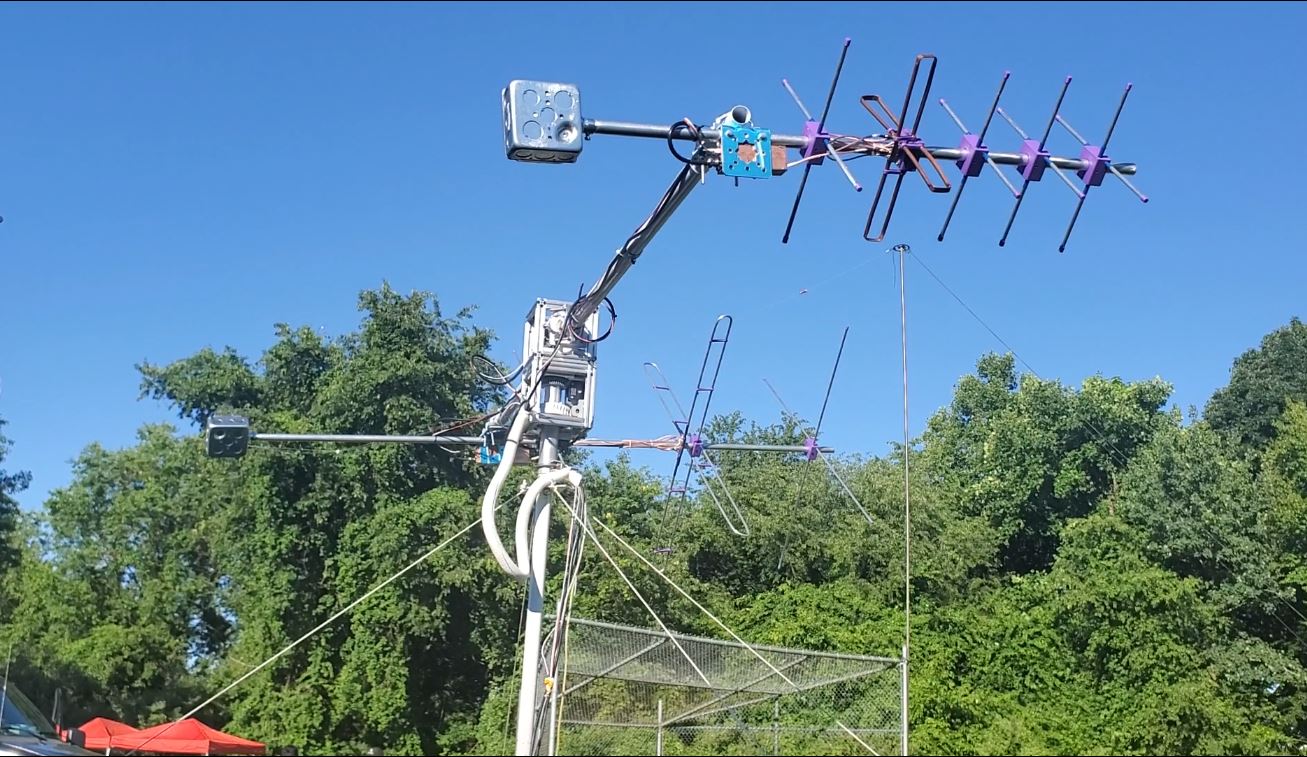
    Our satellite tracker has finally come of age. It made its first public appearance during Field Day 2022.

    After some last-minute upgrades, the project was considered deployable and set to work tracking satellites for real.

    After a night research we were armed with a list of potential targets. The list was short, only 14 possible satellites and only three with FM transponders. The majority, and current trend is inverting linear transponders. When you take out paths that were not visible from the Field Day site and those that are unlikely to be active, we get down to about eight candidates including the ISS. It was a quiet day at the location, many of the normal satellites were too far south and the ISS would only make one short 6 min pass during the Saturday.

    Prior to Field Day the tracker has only tracked the beacon with telemetry of one contact. There were still unanswered questions about how SSB worked on inverting linear transponders. It seemed like each transponder had a narrow band of frequencies and trended to use USB for the uplink and so LSB on the downlink. This meant setting the radio to use USB on transmit and LSB on receive, not your everyday setting so took some time to find out how to set up the FT991. I still do not know the process of calling CQ, given we have about 6 minutes of usable time, you make a call on the uplink then presumably have to tune around the downlink to hear any reply. There is no lock between RX and TX, with Doppler changes and the lack of a fixed offset in the tuning makes the normal known TX and RX frequencies unpredictable. I have to assume that operators use their clarifies to resolve signals hence the tuning the RX after a CQ. Same goes for responding to a CQ, you hear the downlink but don’t have to time to process the necessary uplink frequencies and although the tracker software will correct for Doppler, it won’t convert a newly tuned RX frequency into the corresponding uplink frequency.

    The bottom line was that I did not expect to make a real contact, our best bet was the ISS and we only had one short chance.

    Our Results

    We had a good day, we heard eight satellites, a pileup on the ISS a few SSB signals and several beacons. There is a slight possibility we had a reply through the ISS but for sure it is not a confirmed contact. The ISS was low in the sky and we seemed to have about 3 minutes of traffic. Not long to get things done.

    We did confirm that USB is the preferred uplink and that contacts are understandably short, quick CQ, callsign and then reply.

    This is what we heard:

    • NAYIF-1 (E0-88) – heard SSB stations, not English
    • TO-108 – heard SSB stations one part call sign EM3 was really strong.
    • ISS – many stations, W2EFR? And KE4AZZ particularly strong
    • AO-73 – beacon fairly faint
    • AO-7 Possibly telemetry/beacon
    • PO-101 – beacon
    • XW-2C – Beacon, multiple strong SSB signals, just didn’t get time to tune them in to hear callsigns, also multiple CW signals.
    • XW-2B – heard SSB including a part call AC3?

    This might not seem like a lot, but it was great practice and shown how critical it is to be able to have the radio set up for the pass and get experience tuning in SSB quickly when Doppler is being adjusted.

    The Future

    I think it is critical to have a duplex TX/RX, being able to listen to the downlink as you transmit will eliminate many of the concerns tuning in the RX. With a duplex setup you should be able to monitor the transmission and get the RX ready on the correct frequency as you switch to RX. It will also alert you to another station using the same frequency. Duplex can be achieved using two radios or a SDR system.

    Also having an automated way of calculating uplink and downlink frequencies as needed would make listening and replying to stations more effective. We will look into either obtaining or developing such capabilities.

    Next Trial

    If there is interest, we can go out again and set things up. If one or more members is interested, then we can schedule a trip. We will need an open space where much of the horizon is visible without obstruction and some place we can put the mounting pole in the ground and attach the four guy ropes. Alternatively, if someone has a towing hitch adapter, we could work from a parking lot.

    Further Information

    You can see more about our tracker project here

  • “Flying Solo”

    “Flying Solo”

    I’ve been out a number of times with the guys running portable, but always using all or mostly their stuff. I was hemming and hawing over batteries and first portable antennas. But sooner or later you just have to jump in.

    I recently purchased a Bioenno BLF-1212A and made a 20M dipole. I chose the battery mostly due to its max continuous current draw of 20A which I figure will cover just about anything I might do.

    With that there was only one more thing to do… get out there and solo. (I expect many of you will recognize the location at Eagle Rock.)

    It took a couple of tries to get the antenna situated. Stupid human tricks… it works a lot better if you uncoil the coax first and then pull the antenna up. That’s the point of doing it yourself. But it was up in no time, inverted V-ish. I used the grills at this location to tie off the ends of the dipole, although I did bring a couple of screw drivers (I need to get tent pegs) but didn’t use them. If you squint just right you’ll see it in the picture. 

    The antenna uses a 3D printed center and insulators. I don’t have a choke at the center yet. The legs are 12 gauge bare braided wire. The center connection is BNC and I have a 40′ piece of coax with BNCs at both ends and UHF adapters (only one used).

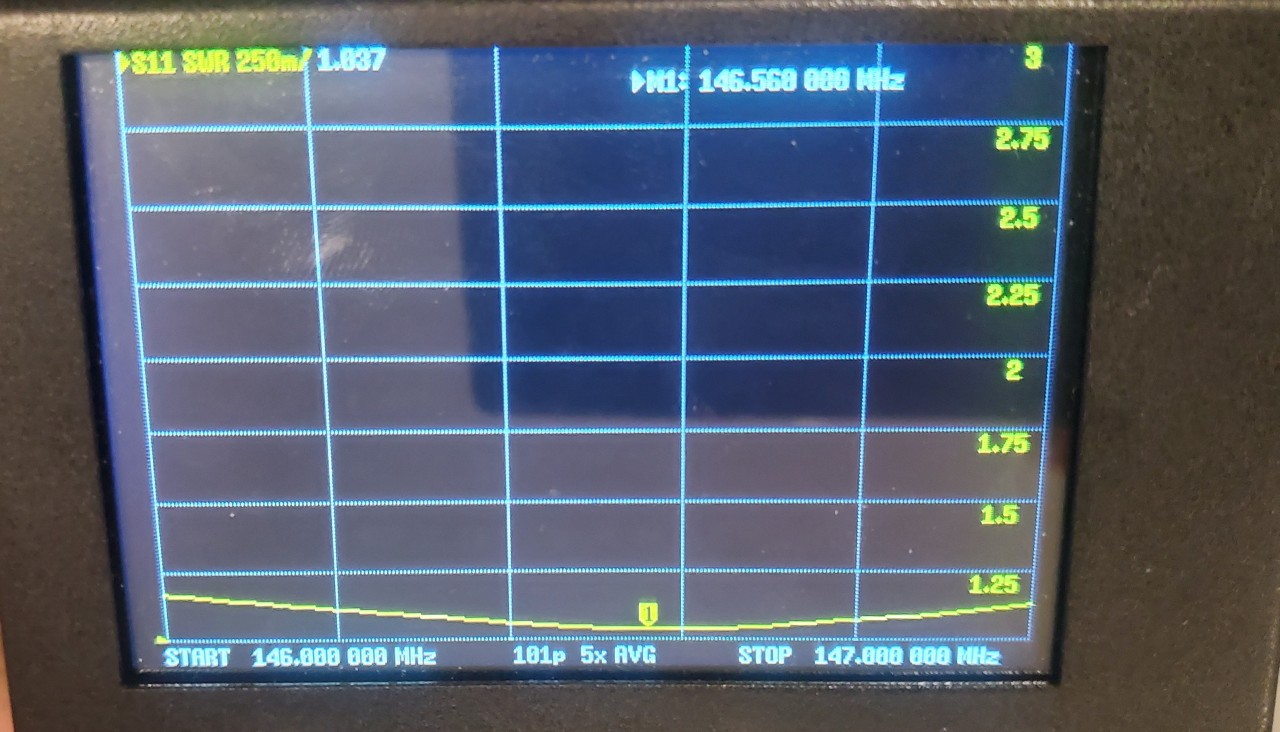
    Then came the moment of truth. I had measured carefully, but my luck with antennas is not good. A quick check with the Nano VNA looked good although the photo is horrible (I may print up some light shield for this thing as they are tough to read in the sun). The SWR seemed good across the entire band (that barely visible curve near 1:1) so I was all clear. 

    I then hooked up my (10 lbs.) 7300 and battery and was off to the races. I started at the the top of the band and rolled down to the first POTA I found and made a quick contact at 20W in Illinois. I got a good signal report and could hear easily. I then tried for some time without making a second contact. I was receiving many stations beautifully, but couldn’t break through any of the pile-ups. At one point I turned the power up to 40W and then quickly made some more contacts also with good signal reports. I wasn’t trying to activate the park, and wasn’t calling Park-to-Park. 

    I only had a couple of hours so it was soon time to pack up. All in all, a great day. 

    I’ve been considering a smaller radio for portable. (Did I mention mine is 10 lbs.?) Most of these are lower power and many are more expensive than my 7300. I’ve been hoping that a lower power, less expensive radio will do well portably. I’ve read many times that power doesn’t matter much (you need to double… S unit… ), and I believe all of that on an open band. But my experience with the guys and on my own, is that while 10W or 20W will get you across the country without competition, that once you are competing with other Hams to make a contact, power does matter. So my plan at the moment is to stick with my 10 pounder and keep experimenting with how much power I really need. 

    Pictured here is my complete kit and it does all fit in my pack. I just wouldn’t want to have to hike too far with it. 

    To everyone who put up with all the questions and let me use their radios and batteries and antennas, Thanks. Little by little I’m getting there. 

    73 Rich kd2wjr.